Before you start
You need a query you can run, or an Ask panel answer, from any connected database, and QueryFlow Pipelines. Watch This isn't included on Studio.
Step by step
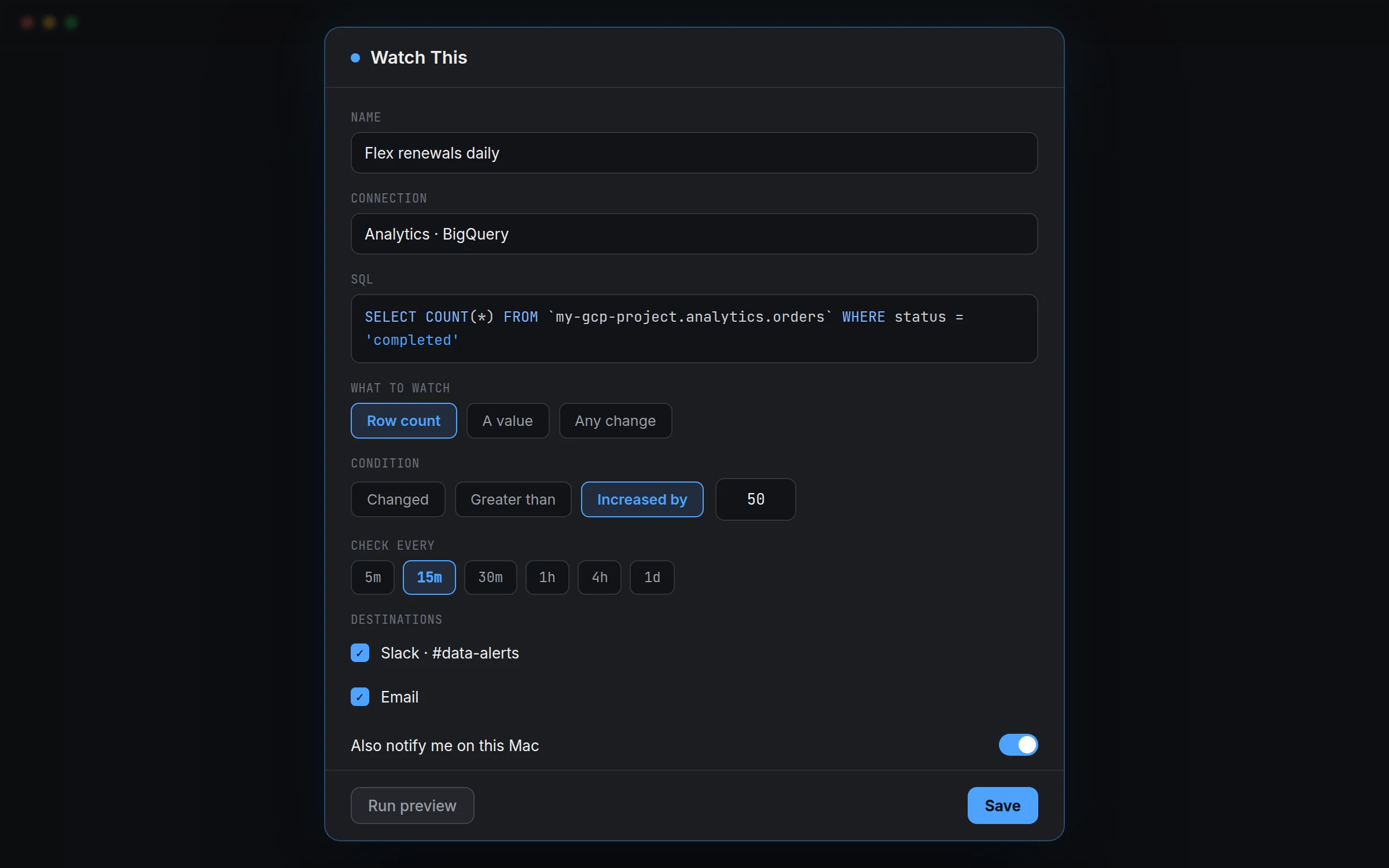
- Run a query in the SQL Editor, or get an answer in the Ask panel.
- Click Watch this (results header, Claude’s answers, or “Watch a query…” in the Watches list).
- Give it a Name, and confirm the Connection and SQL.
- Choose what to watch: Row count, A value (then pick the Column), or Any change.
- Choose a Condition: Changed, Greater than, Less than, Equals, Increased by, or Decreased by.
- Set Check every: 5m, 15m, 30m, 1h, 4h, or 1d.
- Under Destinations, tick where alerts go. Turn on Also notify me on this Mac if you like.
- Click Run preview, then Save.
The three watch types and their conditions
| What to watch | Conditions available |
|---|---|
| Row count | Changed, Increased by, Decreased by |
| A value (pick a Column) | Changed, Greater than, Less than, Equals, Increased by, Decreased by |
| Any change | Changed |
A worked example
Say you run a Postgres-backed subscription product and want to know if daily cancellations spike:
SELECT COUNT(*) AS canceled_today
FROM public.subscriptions
WHERE status = 'canceled'
  AND canceled_at::date = current_date;
Choose A value, pick the canceled_today column, set the condition to Greater than 15, and Check every 1h. On a normal day nothing fires. The day cancellations cross 15, the destinations you picked get a message with the count and when it checked.
Check it worked
Click Run preview before saving to confirm the query returns what you expect. After saving, right-click the watch under WATCHES and choose Check now to fire it immediately rather than waiting for the interval, useful for confirming a destination is actually wired up correctly.
Troubleshooting
| If you see | Fix |
|---|---|
| No alert ever arrives, even though the number clearly changed | Confirm the Condition matches what actually happened, Increased by won't fire on a decrease, and check the destination with Check now. |
| Too many alerts | The Condition or Check every interval is probably too sensitive for how much this number naturally moves. Widen the threshold or lengthen the interval. |
| The watch shows as failing | Usually the same underlying issue a connection Test would show. Check the connection first. |
| Any change fires on noise | Switch to A value or Row count with a specific Condition if the result naturally varies in ways you don't care about. |
Managing watches
All saved watches live under WATCHES in the Pipelines sidebar, separate from scheduled jobs. Right-click any watch for Check now, Edit, or Delete. There's no limit tied to this page's scope beyond your Pipelines plan.