A daily data change summary, in one message
"Daily recap" is QueryFlow's name for it; "daily data change summary" is what most people actually search for when they want this. Same thing: one Slack or Teams message at 8 AM covering what ran, what changed, and what needs a look, instead of a live feed of every individual event. If what you actually want is to hear about one specific number the moment it changes rather than once a day, see Watch vs. scheduled job to pick the right feature, or how Watch This works to set up an individual alert alongside this recap.
Who this is for
If you run a handful of scheduled jobs and a few watches, the first thing you probably do each morning is check whether anything broke overnight. That means opening QueryFlow, clicking into Automations, and scanning a list. The Daily Recap does that scan for you and puts the result in the same Slack or Teams channel where the rest of your team already lives.
What's actually in it
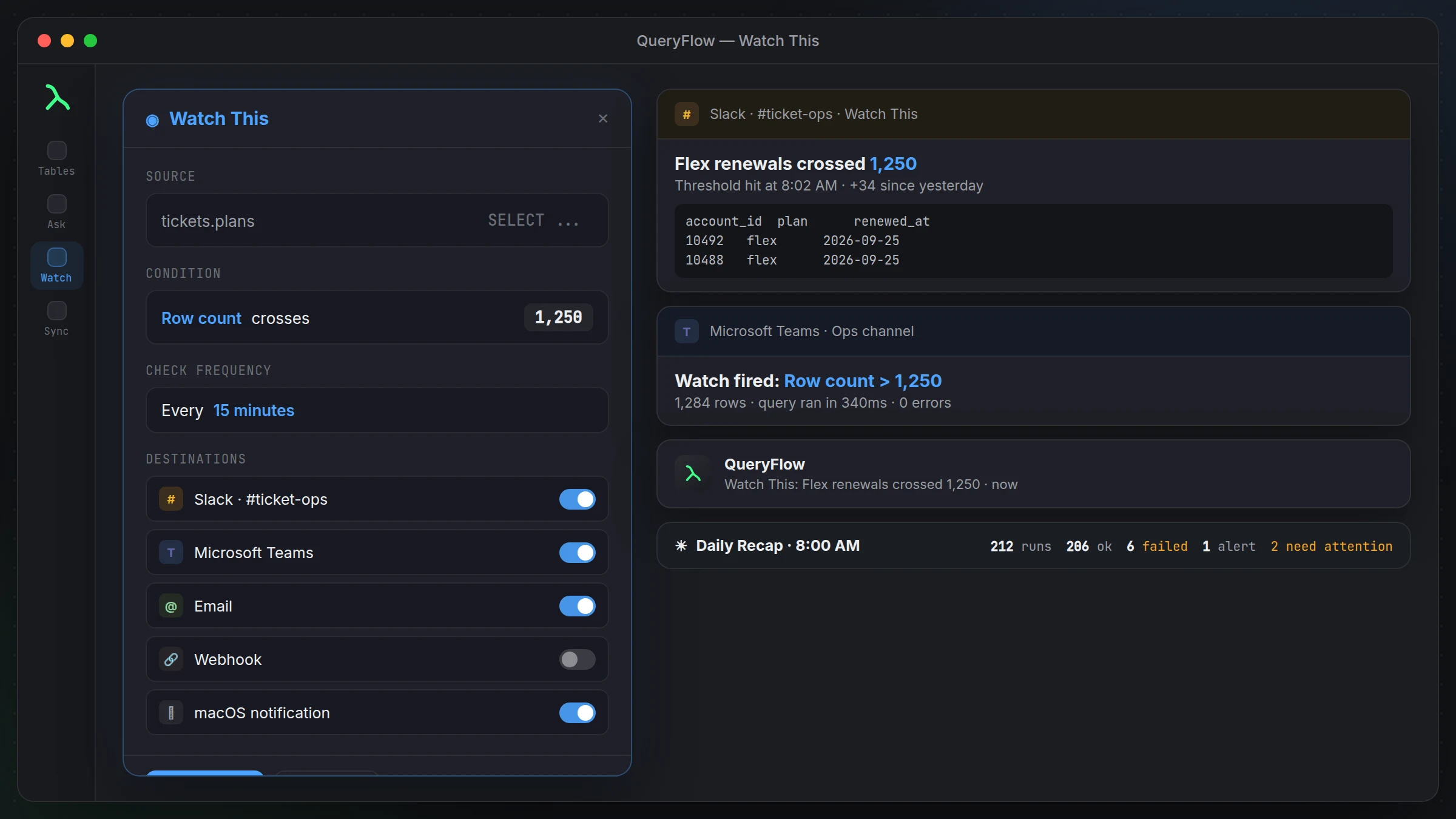
One message, sent at 8 AM, with four things: how many scheduled jobs ran since the last recap, how many of those succeeded versus failed, which Watch This alerts fired overnight (if any), and a short list of anything that needs your attention, a job that's failed repeatedly, a watch that's been silent when it shouldn't be, that kind of thing.
It's meant to be read in the time it takes to sit down with coffee, not a report you have to click through. If everything ran clean, the message says so in a line or two and you move on with your day.
A morning that goes wrong, and how it shows up
Say your nightly Snowflake-to-Salesforce sync failed twice overnight because a connection timed out, and a Watch This alert on failed checkouts crossed its threshold around 3 AM. Instead of finding both of those separately, hours apart, by opening the app and scrolling, the 8 AM recap puts them in the same message: two failed runs on the Salesforce sync, one watch alert on checkout failures, and a note that the sync needs a look. You know what to check first before you've finished your coffee.
Setting it up
Turn on the Daily Recap from Automations settings, connect the Slack workspace or Teams channel you want it delivered to (the same connection used for job completion cards and Watch This alerts), and it starts sending the next morning. There's nothing to configure about the content itself, it's a fixed summary, not something you build queries for.
Why 8 AM and not real time
The Daily Recap is deliberately a summary, not a live feed. If something needs immediate attention, that's what individual job completion cards and Watch This alerts are for, they fire as soon as the condition happens. The Daily Recap exists for the things that don't need a 2 AM page but do need to be on your radar before the day starts.
What it doesn't replace
It's not a substitute for actually opening QueryFlow when something's wrong, and it's not a full audit log, it summarizes, it doesn't give you every row of every job's output. If you need the detail behind a failed run, you still open the app and look at that job's history directly.
Why a summary beats a wall of individual pings
If you run a dozen scheduled jobs and a handful of watches, getting a separate Slack message for every single successful run would drown out the ones that actually matter. Job completion cards and Watch This alerts already handle the "this needs attention now" cases as they happen. The Daily Recap exists for the calmer read: a once-a-day roll-up so you're not scrolling back through twelve individual messages just to confirm nothing broke overnight.
A quieter morning, and what that actually looks like
On a normal day, the recap might read something like: "6 jobs ran, 6 succeeded, no watch alerts, nothing needs attention." That's the whole message. You read it in the time it takes to glance at your phone, and you move on with actual confidence that nothing quietly broke, rather than the vague confidence of not having heard anything, which isn't the same thing when a job could simply have failed to run at all.
Who ends up relying on this
Teams where one person owns most of the scheduled jobs and watches get the most out of this, since it's effectively their morning status check written for them. On a bigger team where jobs are spread across a few people, it works just as well as a shared channel post everyone can glance at, instead of each person separately opening QueryFlow to check their own slice.
What good looks like after a few weeks
The Daily Recap earns its place quietly. The first week, you'll probably still open QueryFlow out of habit to double-check the summary matches what you'd have found manually. After that, most people stop bothering, the recap becomes the actual morning check rather than a supplement to one, and opening the app goes back to being for actual work instead of routine verification.
If you run more than one QueryFlow setup
Some people run separate QueryFlow configurations for different clients or projects. The Daily Recap is scoped to the automations set up in that instance, so if you're juggling more than one, you'll get a separate recap message per setup rather than one combined summary. Point each one at a different Slack channel or Teams team if you want to keep them visually distinct.
It's a minor setup detail, but one that saves confusion the first time two recaps land back to back in the same channel.Turning it off
If it stops being useful, turn it off the same way you turned it on, from Automations settings. There's no penalty for disabling it and turning it back on later if your setup changes enough that a daily summary stops making sense for a while.