Why a native client, when Databricks already has one
The Databricks SQL editor in the browser is fine. It is also a browser tab you lose in a pile of other browser tabs, it reloads your session more often than you'd like, and it does not stay open when you close your laptop lid mid-query. If you spend your day moving between a warehouse, a notebook, and three Slack threads about why a number changed, a dedicated native app that stays put is worth having.
QueryFlow 1.7 connects to Databricks with a personal access token or a service principal (OAuth machine-to-machine), sitting next to your Snowflake, Postgres, Redshift and BigQuery connections in the same sidebar. It behaves the way the rest of the app does: fast startup, a real macOS window, and no JVM spinning up in the background. Credentials are stored in the macOS Keychain and wiped when you delete the connection. See the Connect Databricks tutorial for the exact steps.
Connecting to your SQL warehouse
Add a Databricks connection from the connection screen and point it at your SQL warehouse. Once it's connected, the schema browser on the left lists your catalogs, then schemas, then tables, the same three-level structure Databricks uses everywhere else. Click through it the way you'd click through folders, or search by name if you already know what you're after.
We are not going to pretend we've tested this against every workspace configuration or every identity provider out there. If your setup is unusual, the connection screen will tell you what it needs, and if something doesn't work the way you expect, that's what support and the Discord are for.
A worked example
Say you're on the growth team and you want last month's signups by plan, from a table your data engineers actually named sensibly. You'd write:
SELECT plan_name, COUNT(*) AS signups
FROM growth.gold.subscriptions
WHERE created_at >= date_trunc('month', current_date) - interval 1 month
  AND created_at < date_trunc('month', current_date)
GROUP BY plan_name
ORDER BY signups DESC;
Run it and the results land in a native table view you can sort, filter, and export without waiting on a page repaint. If you'd rather not write that query by hand, that's what the Ask panel is for.
Asking instead of writing
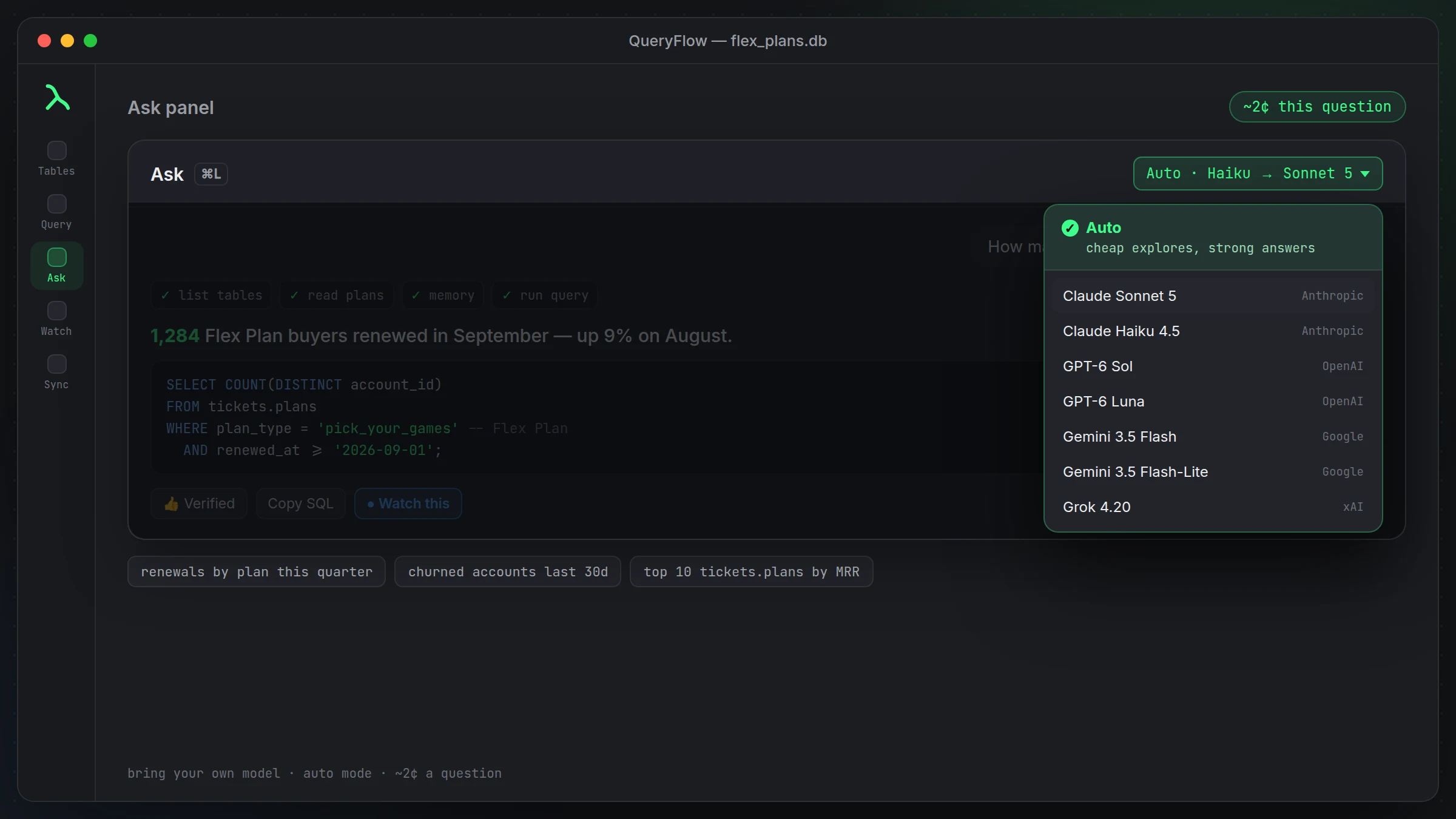
Type a question into the Ask panel and it looks at the catalogs, schemas, and tables your connection can see, then writes the SQL and runs it. Ask "how many signups did we get last month, by plan" against the same warehouse and you'd get a one-sentence answer plus the query above, ready to tweak. You still see the SQL. Nothing runs that you can't read first.
Flow Books for anything SQL alone can't do
Some questions aren't a single query. Maybe you need to pull a result set, run a bit of Python on it, and chart the outcome. Flow Books let you mix SQL and Python cells in one notebook against the same Databricks connection, so the exploratory work and the write-up live in the same file instead of a query window and a separate Jupyter tab.
Watching a Databricks query and getting pinged
Once you have a query you care about, click Watch This and pick a condition: alert when the row count changes, when a specific value changes, or when a value crosses a threshold you set. Point it at Slack, Microsoft Teams, email, or a webhook, and it keeps checking on the schedule you choose, even with QueryFlow closed. See Databricks alerts to Slack and Teams for the full rundown.
Writing into Databricks now, not just reading
As of 1.7, Databricks is also a Data Sync target and a job destination, not just a source. Build a sync with Databricks as the target, pick Insert, Update or Upsert, and for Update or Upsert choose a MATCH ON column, QueryFlow issues the MERGE for you. As a scheduled job destination, pick Append or Replace under Destinations. See upserting into BigQuery or Databricks for a worked example. We haven't tested every Unity Catalog permission model out there, so treat access the way your warehouse already grants it rather than assuming QueryFlow adds anything on top.
Row limits worth knowing
Queries return up to 100,000 rows. Databricks results over 25 MB need a LIMIT clause or fewer selected columns, that's a Databricks constraint on large result transfers, not something a client can work around.
Working across catalogs without losing your place
A lot of Databricks setups split work across more than one catalog: a raw layer, a silver layer someone's still cleaning up, and a gold layer that's actually safe to build reports on. QueryFlow's multi-tab workspace means you can have a query against the gold layer open in one tab and a scratch query poking at silver in another, without either one losing its result set or its scroll position when you switch back and forth. That sounds small until you're the person who's lost a half-written query twice in one afternoon because a tool only gave you one active tab.
Save queries to files when you want to keep them around past the session, and use the query history to pull back something you ran last week but didn't think to save at the time. None of this is Databricks-specific, it's the same workspace behavior QueryFlow gives every connection, which is arguably the point: you shouldn't have to relearn your editor every time you switch warehouses.
Who this actually fits
If your day is mostly running queries someone else assigns and exporting a CSV, the browser editor is probably fine and you don't need another app. This is built for the people running the same handful of queries daily, poking at a schema they half-remember, and wanting the Ask panel and Watch This in the same window instead of stitched together from three different tools. If that's not your day, it's still useful, just less obviously so.