Before you start
A working connection to BigQuery or Databricks under Databases, an existing target table, and a source with a column (or combination of columns) that's genuinely unique per row. Pipelines tier.
Steps
- Open Pipelines → Build and start or open a sync.
- Pick your source Connection and Table (or SQL).
- Pick your BigQuery or Databricks target Connection and Table.
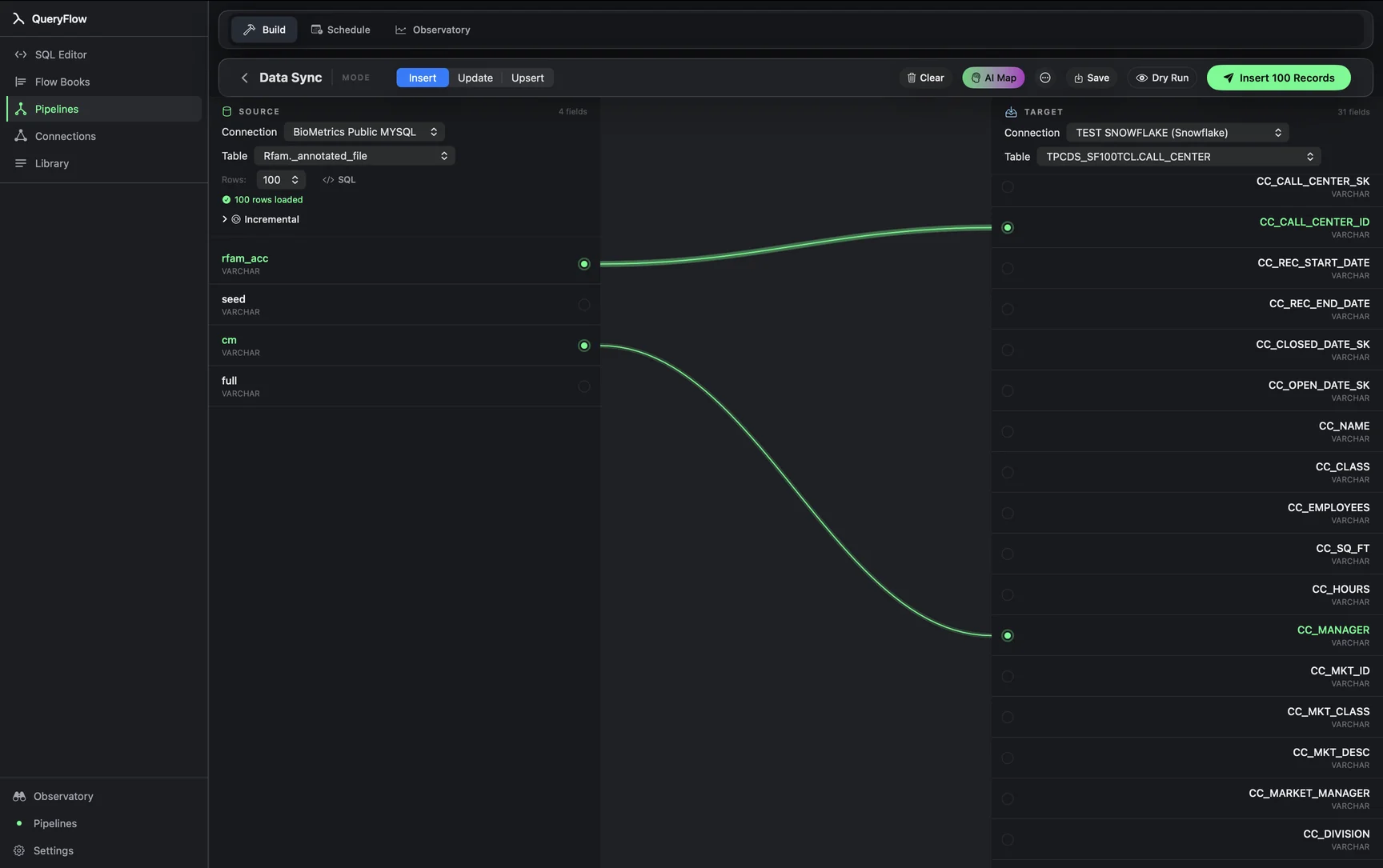
- Map fields by dragging or with AI Map.
- Pick Upsert as the MODE.
- Choose a MATCH ON field whose values are unique per row.
- Click Dry Run to preview, then Save or run it now.
A worked example
Upserting a product catalog into BigQuery, where both new SKUs and price changes on existing ones need to land in the same run:
-- source
sku, name, price, updated_at

-- BigQuery target: my-gcp-project.catalog.products
Map the columns, pick Upsert, and set sku as the MATCH ON key. Behind that one setting, QueryFlow issues a MERGE statement against the target table on sku: a matching row gets its columns updated, a new sku gets inserted. You never write the MERGE syntax yourself, but the operation running underneath is the same standard SQL construct both warehouses support.
The same pattern applies against Databricks; pick a Databricks target instead and everything past the MODE selection works identically.
Check it worked
Dry Run first to see the split between rows that would insert and rows that would update. After a live run, spot-check a row you know changed (a price update, say) and confirm it reflects the new value rather than a duplicate old-and-new pair.
Troubleshooting
| If you see | Fix |
|---|---|
| Choose at least one key field | Pick a MATCH ON column before running Upsert. |
| Duplicate key values in source for key column(s) … | The MATCH ON column isn't actually unique per row in the source; narrow the source query or pick a different key. |
| Job fails on write | Give the account BigQuery Data Editor, or MODIFY in Databricks, on the target table. |
Composite keys
Not every table has a single obvious unique column. A daily rollup table keyed on both a date and a category, for instance, needs a composite MATCH ON: both columns together, not either alone. Picking just event_date as the key when multiple categories share a date would treat every category's row as the same record and overwrite one with another, which is a subtler and more dangerous mistake than the duplicate-key error, since it can produce a successful-looking run with silently wrong results.
Why MERGE instead of DELETE-and-INSERT
An older pattern for this same problem was deleting matching rows first, then inserting the fresh set. MERGE (what Upsert runs underneath) avoids the brief window where a row exists neither as old nor new, which matters for a table something else might be reading from concurrently. It's also generally faster, since it doesn't require a separate delete pass before the insert.
Databricks specifics
Against a Databricks Delta table, MERGE is a first-class, well-optimized operation, and it's the same mechanism Databricks recommends for this exact pattern when writing SQL by hand. Data Sync's Upsert mode isn't doing anything Databricks itself wouldn't consider the standard approach; it's just generating that MERGE statement from the mapping and MATCH ON key you picked in the UI, rather than asking you to write it.
BigQuery specifics
BigQuery's MERGE works the same way conceptually, matching on the key columns you specify and branching into an UPDATE or INSERT per row. One practical note: BigQuery bills for the bytes scanned during a MERGE the same way it does for a SELECT, so a MERGE against a very large, unfiltered target table costs more than one narrowed to a relevant partition. If the target table is date-partitioned, filtering the MERGE to the relevant partition range keeps the cost proportional to what's actually changing.
When to pick Insert instead
Upsert isn't automatically the right choice just because it's available. For a genuinely append-only source, an events table where no row is ever revised after it's written, Insert is simpler and slightly cheaper, since there's no key lookup happening on every row. Reach for Upsert specifically when rows can legitimately change after they first appear.
See Upsert vs. Insert vs. Update for when to pick each mode, or the Data Sync tutorial for the full builder.