Watch This is the lighter-weight alternative to a scheduled job when what you actually want is a nudge: tell me if this number moves. It works on a query you already ran, or on something Claude answered in the Ask panel.
Before you start
- Pipelines tier.
Steps
- Run a query in the SQL Editor, or get an answer in the Ask panel.
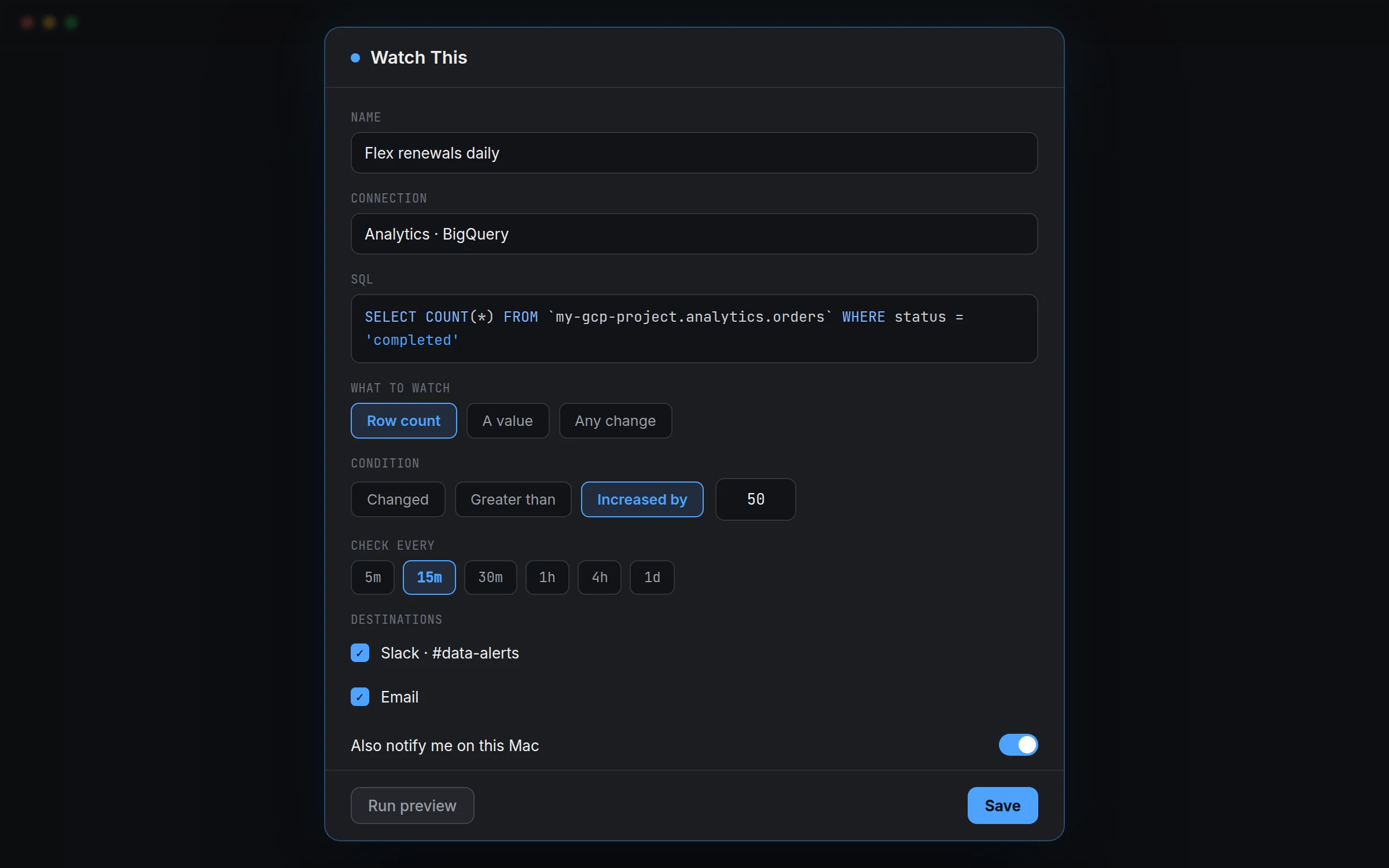
- Click Watch this (results header, Claude's answers, or "Watch a query…" in the Watches list).
- Give it a Name, and confirm the Connection and SQL.
- Choose what to watch: Row count, A value (then pick the Column) or Any change.
- Choose a Condition: Changed, Greater than, Less than, Equals, Increased by or Decreased by.
- Set Check every: 5m, 15m, 30m, 1h, 4h or 1d.
- Under Destinations, tick where alerts go. Turn on Also notify me on this Mac if you like.
- Click Run preview, then Save.
Watches live under WATCHES in the Pipelines sidebar. Right-click one for Check now, Edit or Delete.
A Watch and a scheduled job overlap in what they can do; the difference is a Watch is built around a condition and an alert, while a job is built around moving or storing data. Use a Watch when the point is to find out, and a job when the point is to deliver something.
Row count is the simplest thing to watch and covers more cases than it first sounds like: a table that should never shrink, an import that should add roughly the same number of rows every night, a queue that shouldn't sit empty for hours. A value watches one column's number directly instead, useful for something like a daily revenue total or an error count. Any change is the blunt option for a query whose result should genuinely never move between checks.
Increased by and Decreased by are the two conditions worth knowing about specifically, because they watch the size of the change rather than a fixed threshold. A row count alert set to Greater than 10000 fires once and then every check after, forever, once you cross it. Increased by 500 fires only on a check where the number actually jumped by that much since last time, which is usually closer to what you meant by 'tell me if something unusual happens.'
Check every trades responsiveness against load on the source connection. A 5-minute interval on a query against a busy production database adds up over a day; 1h or 4h is plenty for most business metrics, and 5m or 15m is worth reserving for something you genuinely need to know about within minutes, like a job failure count or an ingestion pipeline stalling.