This tutorial covers using Claude specifically in the Ask panel, which needs an Anthropic API key under Settings. The Ask panel itself also supports other models on their own keys (GPT-6, Gemini, Grok) if Claude isn't the model you want to use, but the steps below are for Claude.
Steps
- Go to Settings → AI Assistant and paste your key into Anthropic API Key.
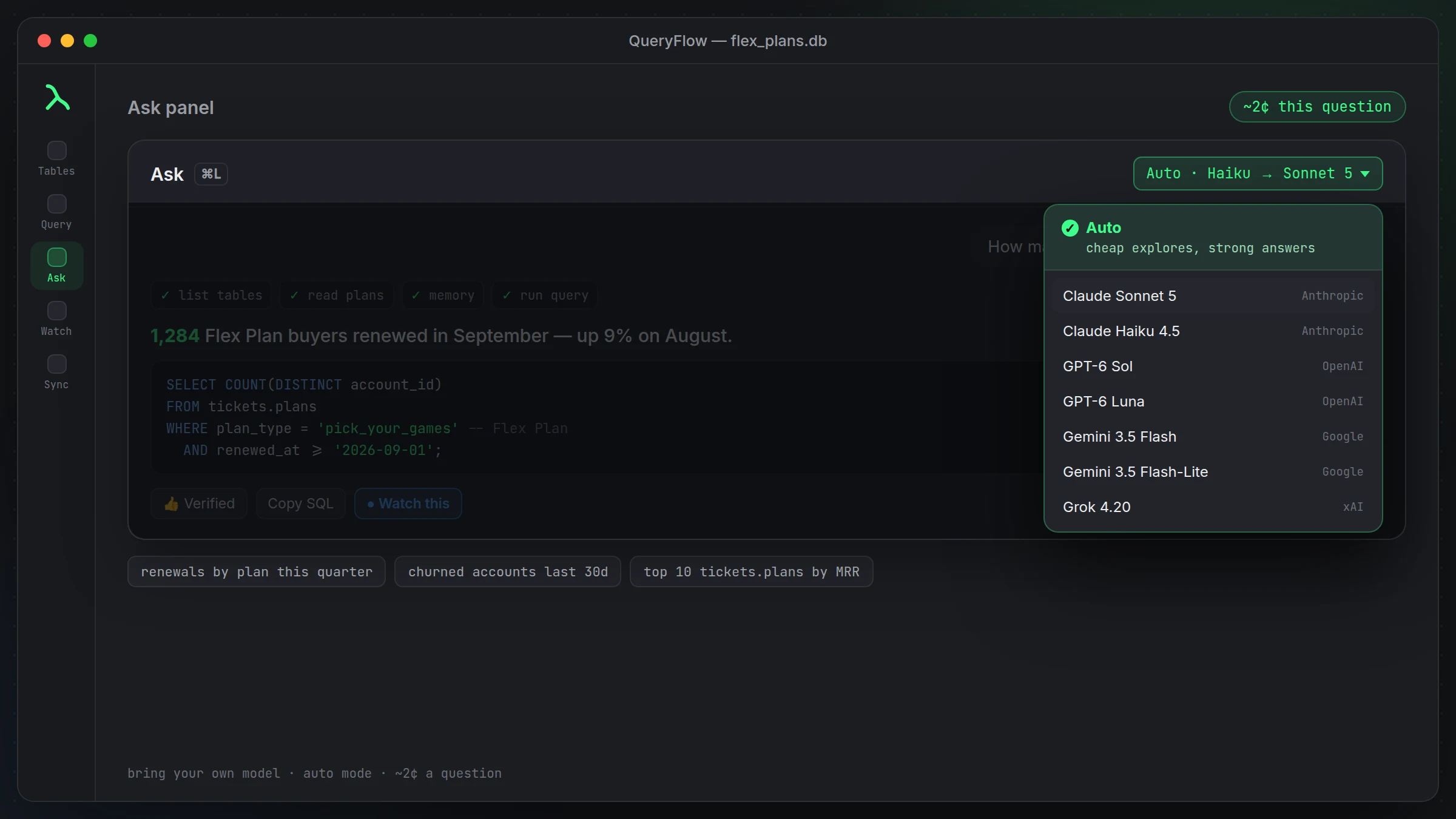
- In the SQL Editor, click Ask (or press ⌘L).
- Type a question. Optionally attach Current query, Selection or Last error.
- On any SQL Claude writes, use Insert into editor, Run or Watch this.
Prompts that work well: "What tables are in this dataset, and what do they look like?" · "Write a query for daily row counts over the last 30 days in [table]." · "Why did my last query fail?"
Nothing runs on your database until you click Run. Insert into editor drops the SQL where you can read and change it first, which matters most on a table you don't want a wrong WHERE clause anywhere near.
Claude is one of several models the Ask panel can use, alongside Haiku, GPT-6 Sol and Luna, Gemini 3.5 Flash and Flash-Lite, and Grok 4.20, each on your own API key. This tutorial covers Claude specifically because it's the model most people start with, but switching models later is a matter of picking a different one from the panel's model switcher, not adding a new connection or changing how you ask questions.
Attaching Current query, Selection or Last error changes what Claude sees before it answers. Current query is the default and useful for most follow-up questions. Selection narrows the context to just the highlighted text, handy in a long file where the rest would only add noise. Last error is worth attaching any time the question is some version of 'why did this fail,' since it hands Claude the exact message instead of you retyping it.
By default only schema metadata, table and column names and types, goes to the model. Row data only goes along if you've explicitly turned that context on in Settings, so a question like 'what tables look like customer data' can usually be answered from structure alone, without your actual rows ever leaving your Mac.
Once Claude writes something you use often, a thumbs-up turns it into a verified query the Ask panel can reuse the next time a similar question comes in, so you're not paying to regenerate the same answer from scratch every time. That memory is scoped to your own setup and can be cleared from Settings in one click if you'd rather start over.
The panel is reachable with Command-L from anywhere in the workspace, which matters more once you're using it regularly. Answers default to one sentence plus the SQL, type /brief for shorter still, or /verbose if you want the full reasoning behind a query rather than just the result.