Data Sync is the field-mapping tool for moving rows between a source and a target on a repeatable basis, rather than the one-shot dump a scheduled query destination gives you. BigQuery and Databricks now work as targets, with Insert, Update and Upsert (MERGE on your key columns) as the write modes.
Before you start
- Pipelines tier. A source connection and a target BigQuery or Databricks connection, both already added under Databases.
Steps
- Open Pipelines → Build and click New Sync.
- On the left, pick the source Connection and Table (or write SQL).
- On the right, pick the target Connection and Table.
- Drag from a source field to a target field, or click AI Map.
- Pick a MODE: Insert, Update or Upsert.
- For Update or Upsert, choose a MATCH ON field whose values are unique per row.
- Click Dry Run to preview without writing.
- Save it as a job, or run it now.
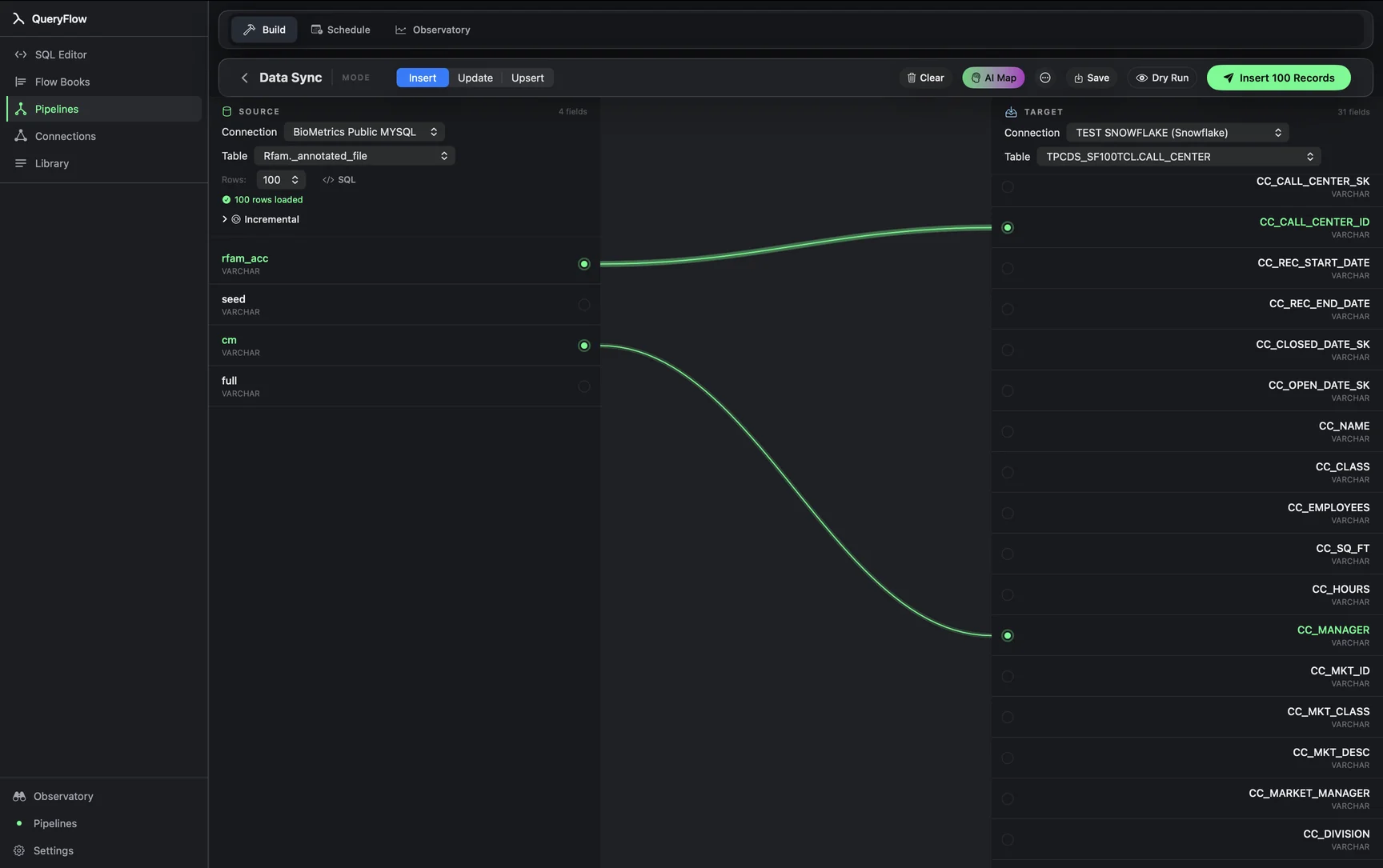
Upsert runs as a MERGE on your key columns under the hood, on both BigQuery and Databricks. Run Dry Run first on anything writing to a table other people query, it costs nothing and catches a bad key choice before rows move.
The three modes map to three different intents. Insert just adds rows and is right for an append-only log, like events or raw imports, where duplicates from a second run are a real risk if the source doesn't dedupe itself. Update only touches rows that already exist in the target and leaves everything else alone. Upsert is the one most people actually want for keeping a table current: insert what's new, update what changed, based on the MATCH ON column you pick.
MATCH ON has to be a column, or combination, that's genuinely unique per row in the source. A customer_id or order_id usually works. A column like email can look unique until it isn't, one shared support inbox address used across five test accounts, and that's exactly the kind of thing a Dry Run surfaces as a duplicate key error before it turns into a MERGE that overwrote the wrong row.
AI Map is worth trying before mapping fields by hand, especially on a wide table. It matches source and target fields by name and type and gets most of an honest schema right on the first pass; you're still the one who checks the result and fixes anything it guessed wrong, particularly when two columns have similar names but different meanings.
If something goes wrong
| If you see | Fix |
|---|---|
| Choose at least one key field | Pick a MATCH ON column. |
| Duplicate key values in source for key column(s) … | Pick MATCH ON columns that uniquely identify rows. |
| Records synced, with errors listed | Usually a type mismatch. Read the listed error. |