Before you start
A sync with source, target, and field mapping already set up, and a MODE picked (Insert, Update, or Upsert). Pipelines tier.
Steps
- Open Pipelines → Build and open your sync (or build a new one with New Sync).
- Confirm the source Connection and Table on the left and the target on the right.
- Map fields, either by dragging or with AI Map.
- Pick a MODE: Insert, Update, or Upsert.
- For Update or Upsert, choose a MATCH ON field.
- Click Dry Run to preview without writing.
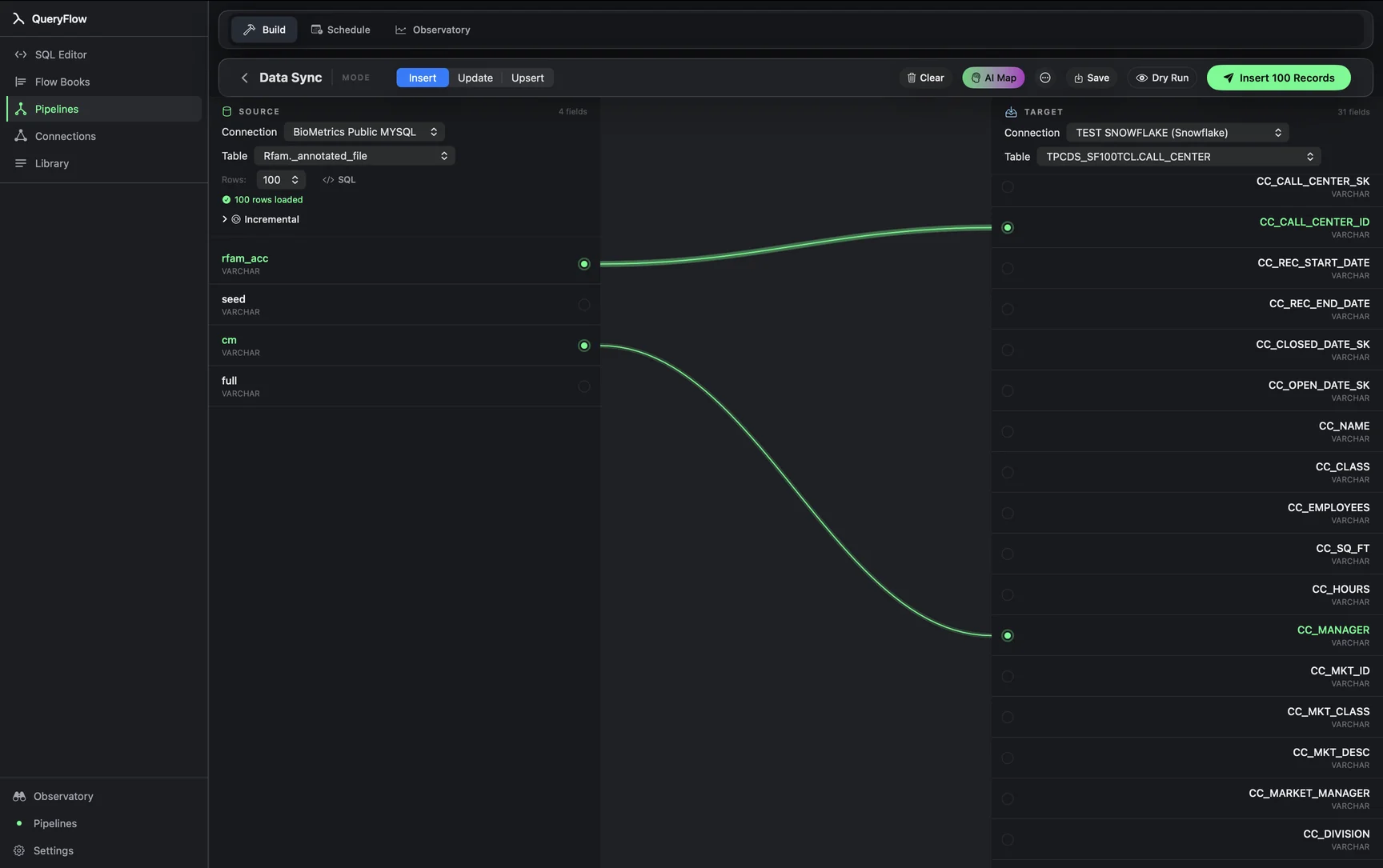
A worked example
Say you're upserting a Salesforce Opportunity export into a BigQuery table on opportunity_id. Before trusting it against production data, running Dry Run shows exactly how many rows would insert as new versus update as existing, and surfaces anything like a duplicate opportunity_id in the source that would otherwise fail partway through a real run. If the counts look wrong, say every row shows as an insert when you expected mostly updates, that's usually a sign the MATCH ON column doesn't actually match the target's key format (a text ID versus a numeric one is a common mismatch).
Check it worked
A successful Dry Run shows a summary: rows to insert, rows to update, and any errors, with no changes made to the target table. Confirm the counts look like what you expect before clicking Save or running it live.
Troubleshooting
| If you see | Fix |
|---|---|
| Choose at least one key field | Pick a MATCH ON column before running Dry Run in Update or Upsert mode. |
| Duplicate key values in source for key column(s) … | Pick a MATCH ON column that's actually unique per row in the source. |
| Every row shows as insert, none as update | Check the MATCH ON column's data type and format actually align between source and target. |
Why Dry Run doesn't cost anything to run often
Dry Run reads from the source and checks against the target's existing keys, but it never writes. That makes it safe to run again after every change to the mapping or the MODE, rather than treating it as a one-time gate before the first real run. Building a habit of Dry Run after any edit, not just before the very first execution, catches a broken mapping right after you introduce it instead of on the next scheduled run.
What Dry Run doesn't catch
Dry Run validates the mapping and the write plan against current data; it doesn't predict every failure a live run might hit, like a permissions change on the target table between the preview and the actual run, or a network issue mid-write. Treat a clean Dry Run as strong evidence the sync is set up correctly, not an absolute guarantee the live run will go exactly the same way.
Dry Run before changing a MATCH ON key
Swapping the MATCH ON field on an existing sync, say from a single column to a composite key, is exactly the kind of change worth Dry Running before saving. A key change can shift which rows count as "existing" versus "new" in ways that aren't obvious from reading the configuration alone; seeing the actual insert-versus-update split before committing to it catches a bad assumption before it touches the target table.
Building trust in a new pipeline
For anyone inheriting a sync someone else built, or building one against an unfamiliar source, running Dry Run a handful of times against different moments, not just once before the first save, is a reasonable way to build confidence that the mapping holds up as the underlying data actually varies day to day.
Dry Run on a scheduled job, not just a manual one
The same Dry Run button is available whether the sync is standalone or already saved as a scheduled job. Before changing anything about a job that's been running successfully for months, a fresh Dry Run against the current mapping and current data is cheap reassurance that a change to the source schema hasn't quietly broken something the run history hasn't yet had a chance to surface.
Full sync walkthrough: the Data Sync tutorial.