Before you start
A working BigQuery connection and a working Databricks connection, both added under Databases, and a target table in Databricks that already has the columns you're syncing into. Pipelines tier.
Steps
- Open Pipelines → Build and click New Sync.
- On the left, pick your BigQuery Connection and Table (or write SQL against it).
- On the right, pick your Databricks Connection and target Table.
- Drag from a source field to a target field, or click AI Map.
- Pick a MODE: Insert, Update, or Upsert.
- For Update or Upsert, choose a MATCH ON field.
- Click Dry Run, then Save it as a job or run it now.
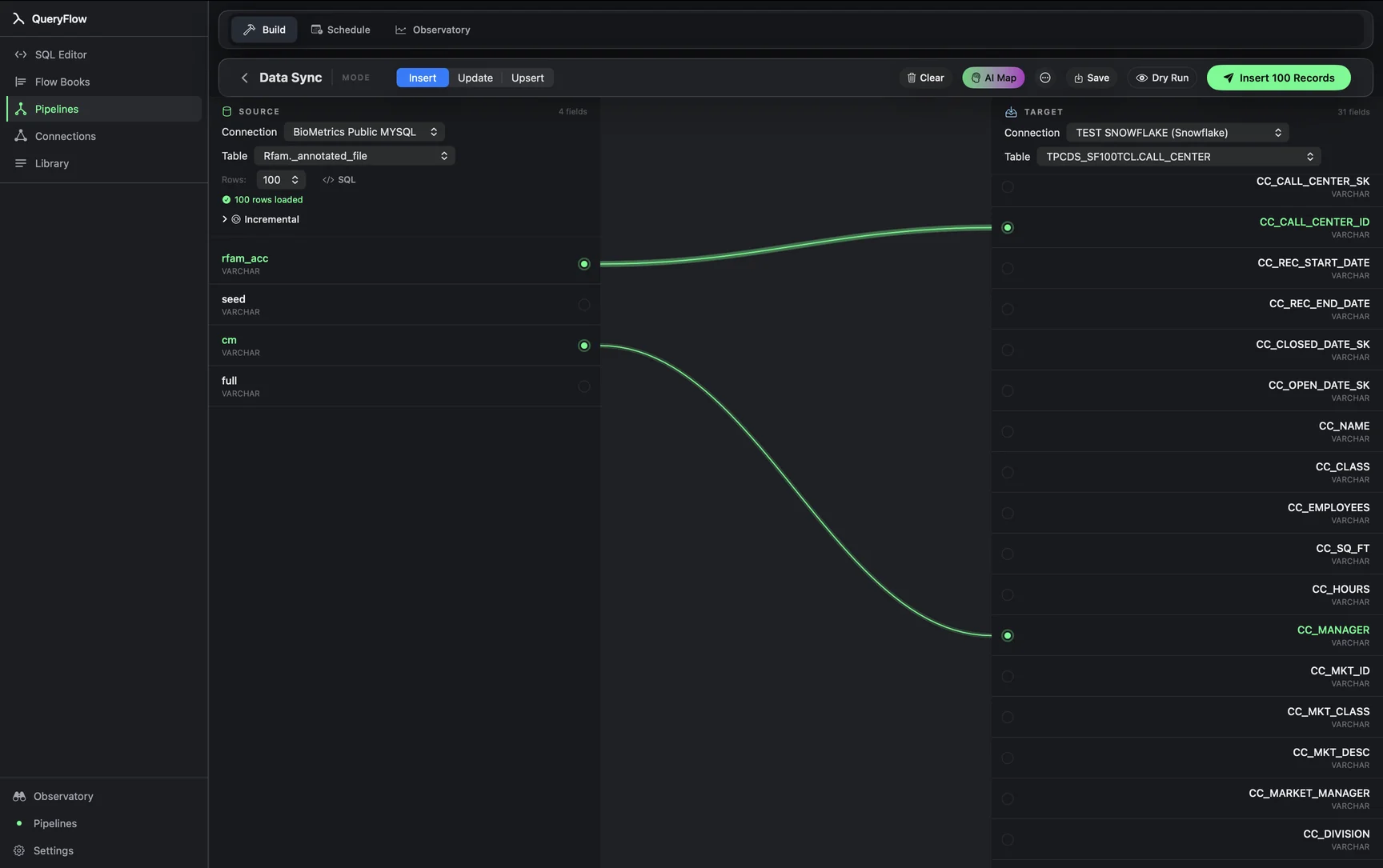
A worked example
Syncing a daily product-events rollup from BigQuery into a Databricks catalog for a team that does its downstream modeling in Databricks:
-- BigQuery source
SELECT event_date, product_id, SUM(quantity) AS units_sold
FROM `my-gcp-project.sales`.events
WHERE event_date = CURRENT_DATE() - 1
GROUP BY event_date, product_id;

-- Databricks target: analytics.rollups.daily_product_sales
Map event_date, product_id, and units_sold to their matching columns, pick Upsert on a composite key of event_date plus product_id, and this becomes a job that keeps the Databricks rollup current without anyone hand-exporting a CSV between the two.
Check it worked
Run Dry Run first to confirm row counts, then check the run history after a live run or scheduled execution. Query the target table in Databricks directly to spot-check a handful of rows against the BigQuery source.
Troubleshooting
| If you see | Fix |
|---|---|
| No BigQuery connections available | Add one under Databases first (see connecting BigQuery). |
| Job fails on write | Give the Databricks account or service principal write access (MODIFY) on the target table. |
| Duplicate key values in source for key column(s) … | Pick a MATCH ON column, or combination, that's unique per row in the BigQuery query. |
Why teams run this pairing
BigQuery and Databricks aren't usually competing for the same job inside one company; more often each is doing the piece it's best suited to. BigQuery's serverless model suits ad hoc analytical queries and dashboards that need to scale without capacity planning. Databricks' Spark engine suits heavier transformation and machine-learning workloads that benefit from a full compute cluster. Data Sync is the connective tissue between the two when a result computed in one needs to land where the other side's tools, or people, actually work.
Scheduling it going forward
Once a BigQuery-to-Databricks sync is built and Dry Run confirms it, save it as a job under the Scheduler with a Daily or Interval trigger to keep it running without a manual click each time. See scheduling a BigQuery query for how the trigger and run-history side of that works once the sync itself is saved.
Watching cost on both sides
Both BigQuery and Databricks bill for the compute a query or a warehouse consumes, independent of what QueryFlow charges for the sync itself. A sync's source query runs against BigQuery's on-demand or reserved pricing, and writing into Databricks runs against whatever SQL warehouse size you've configured there. For a frequent, high-volume sync, it's worth checking the query's cost on each side the same way you would for any manually run query, rather than assuming automation makes the underlying compute free.
Unity Catalog on the Databricks side
If your Databricks workspace uses Unity Catalog, the target table reference includes the catalog explicitly, catalog.schema.table, rather than just schema.table. Set the catalog when you configure the Databricks connection, or leave it blank to browse the workspace's default, and Data Sync's target picker reflects whichever catalog the connection is pointed at.
Result size on the BigQuery side
BigQuery queries returning very large result sets can take longer to page through than a typical warehouse query; for a sync's source query, adding a reasonable LIMIT or narrowing the date range keeps each run predictable rather than occasionally slow when a source table happens to be larger than usual on a given day.
Full builder walkthrough: the Data Sync tutorial.
Related syncs
See also: Integrations Load a CSV into Databricks. Sync MySQL to Databricks..