Before you start
An S3 destination added under Destinations (bucket, region, and credentials, entered once), a working query, and Pipelines. File and email are Studio; S3 is one of the destinations that comes with Pipelines.
Steps
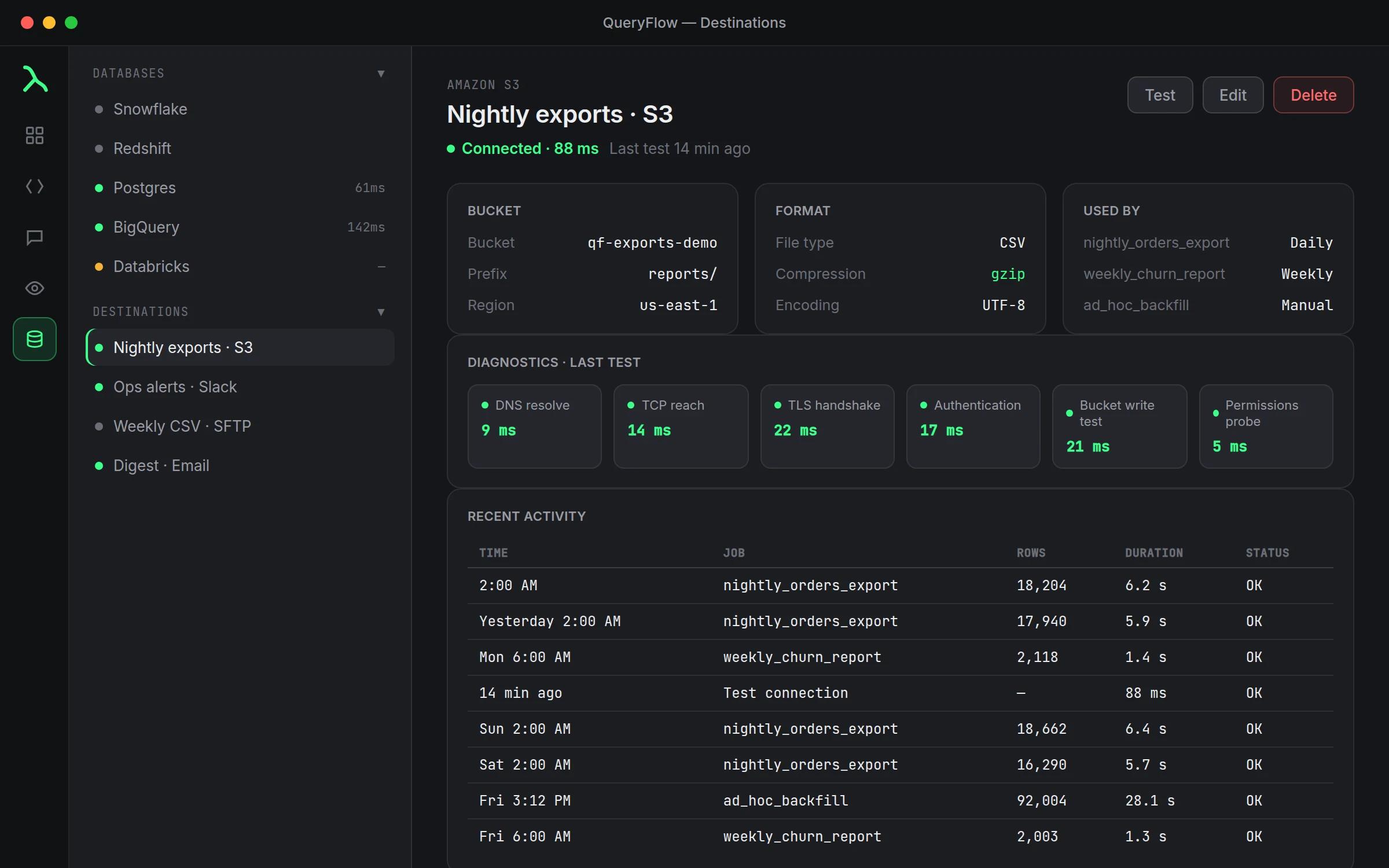
- Add an S3 destination once, if you haven't: click the + next to Destinations, choose Amazon S3, fill in the bucket and credentials, and save.
- Write or open your query in the SQL Editor.
- Click Schedule in the toolbar.
- Pick a Trigger Type and set the time.
- Choose your saved Amazon S3 destination under output.
- Turn on Enable immediately and click Create Job.
A worked example
A Databricks query that exports yesterday's clickstream rows nightly:
SELECT event_id, user_id, event_type, event_time
FROM analytics.web.clickstream
WHERE event_date = current_date() - 1;
Schedule it Daily at 1:00 AM against the S3 destination. Because the source is Databricks and the destination is S3, this is also one of the combinations the background helper covers, so it keeps firing with the Mac closed once Run Jobs When App Is Closed is on in Settings → Scheduling.
Check it worked
Check the job's run history for a successful run, then confirm the file landed in the bucket at the expected key or prefix.
Troubleshooting
| If you see | Fix |
|---|---|
| No S3 destinations available | Add one under Destinations first, before scheduling the job. |
| Job doesn't run while the app is closed | Confirm the source is Snowflake, Redshift (IAM), BigQuery, or Databricks. |
| Job fails immediately | Open its run history; a bad bucket name or expired credential shows the same way a connection Test would. |
Naming the output file
Each run needs to land somewhere predictable in the bucket, whether that's a fixed key that gets overwritten every run, or a dated prefix that keeps every day's export separately. Which one you want depends on what's reading the file downstream: a system that always looks at the same key wants overwrite behavior, while an archive or a system doing its own date-based discovery wants a new object per run. Set this up once when you configure the S3 destination and it applies consistently to every job that uses it.
Reusing the destination elsewhere
Because the S3 destination is saved separately from any one job, the same bucket and credentials work for as many scheduled queries as you want, or for a Data Sync job's output, without re-entering anything. Add it once under Destinations, and it shows up as an option every time you build a new schedule.
S3 as a handoff point
S3 is often not the final destination so much as a handoff: a downstream system, a data lake, another team's pipeline, or a partner's ingestion process, reads from the bucket independently of QueryFlow. That's part of why S3 output belongs in Pipelines rather than Studio: it's the piece that turns a personal scheduled report into an integration point other systems depend on, which is a meaningfully bigger commitment than emailing yourself a CSV.
Costs to keep in mind
QueryFlow doesn't charge anything extra for S3 delivery beyond the Pipelines subscription itself, but AWS still bills for storage and requests against the bucket the normal way. For a job running hourly against a small result set, that cost is typically negligible; it's worth a glance at your AWS bill after the first month if the job runs very frequently or the results are large.
Bucket permissions worth double-checking
The most common setup mistake with a new S3 destination isn't a QueryFlow problem at all, it's an IAM policy that's narrower than expected, missing write access to the specific prefix the job writes into, or scoped to the wrong bucket entirely. If Test on the destination succeeds but the actual scheduled job fails to write, that mismatch between what was tested and what the job needs is usually where to look first.
Format of the exported file
The file that lands in S3 reflects the query's results as returned, column names and all. If a downstream system expects a specific format or column order, it's simpler to shape that in the SELECT clause (explicit column list, explicit aliases) than to expect the destination to reformat anything after the fact. Treat the query as the last place you control the shape of the data before it leaves QueryFlow entirely.
Full steps for the rest of the Schedule dialog live in the scheduling tutorial.