What JetBrains' own tracker shows
DataGrip is built on the same IntelliJ platform as PyCharm and WebStorm, and its issue tracker lives in JetBrains' shared YouTrack. Two long-standing tickets are worth reading directly: DBE-3565 and DBE-1221, "Display Notification when Query Completes". Both ask for something narrower than what most people actually want: a sound or system notification when a query you're already running finishes. Neither has shipped. There's no comparable request for "alert me when the result is different from before," because DataGrip's execution model doesn't retain a previous run to compare against in the first place.
Why this matters in practice
DataGrip is built for writing and running SQL interactively, with genuinely good schema navigation, refactoring support, and version control integration. What it isn't built for is unattended monitoring. There's no scheduler, no background execution, and no mechanism to compare today's result to yesterday's. If you want to know whether a number moved overnight, DataGrip's answer is: open the tab, run the query, look at it yourself.
A worked example: a Snowflake failed-payments check
Say your team runs this in DataGrip most mornings against Snowflake:
SELECT COUNT(*) AS failed_payments
FROM billing.public.transactions
WHERE status = 'failed'
  AND created_at >= DATEADD(day, -1, CURRENT_DATE());
In DataGrip, that means opening the connection, running it, and comparing the number to whatever you remember from yesterday, or a note somewhere. Nothing in the tool tells you the count jumped from 3 to 47 overnight. You'd only find out by checking, and only if you remembered to.
The same check, watched instead of re-run by hand
In QueryFlow, run the query once and click Watch this. Set what to watch to A value on failed_payments, condition Increased by with a threshold like 15, check every 1h, and destination Slack. When the number actually jumps, a message lands in the channel: "Watch 'Failed payments' — failed_payments increased by 44 (was 3, now 47)." Nobody had to be looking at a tab when it happened.
Where DataGrip still wins
If your day-to-day is heavy refactoring, multi-schema comparison, or working across a huge range of database engines through JDBC, DataGrip's editor and navigation are more mature than QueryFlow's, and its IntelliJ-based tooling (version control diffing, code inspections on SQL) has no real equivalent here. This page isn't an argument to drop DataGrip. It's pointing at one specific gap: nothing in DataGrip tells you when a result changes, and nothing on JetBrains' roadmap suggests that's changing soon.
Setting up the same watch yourself
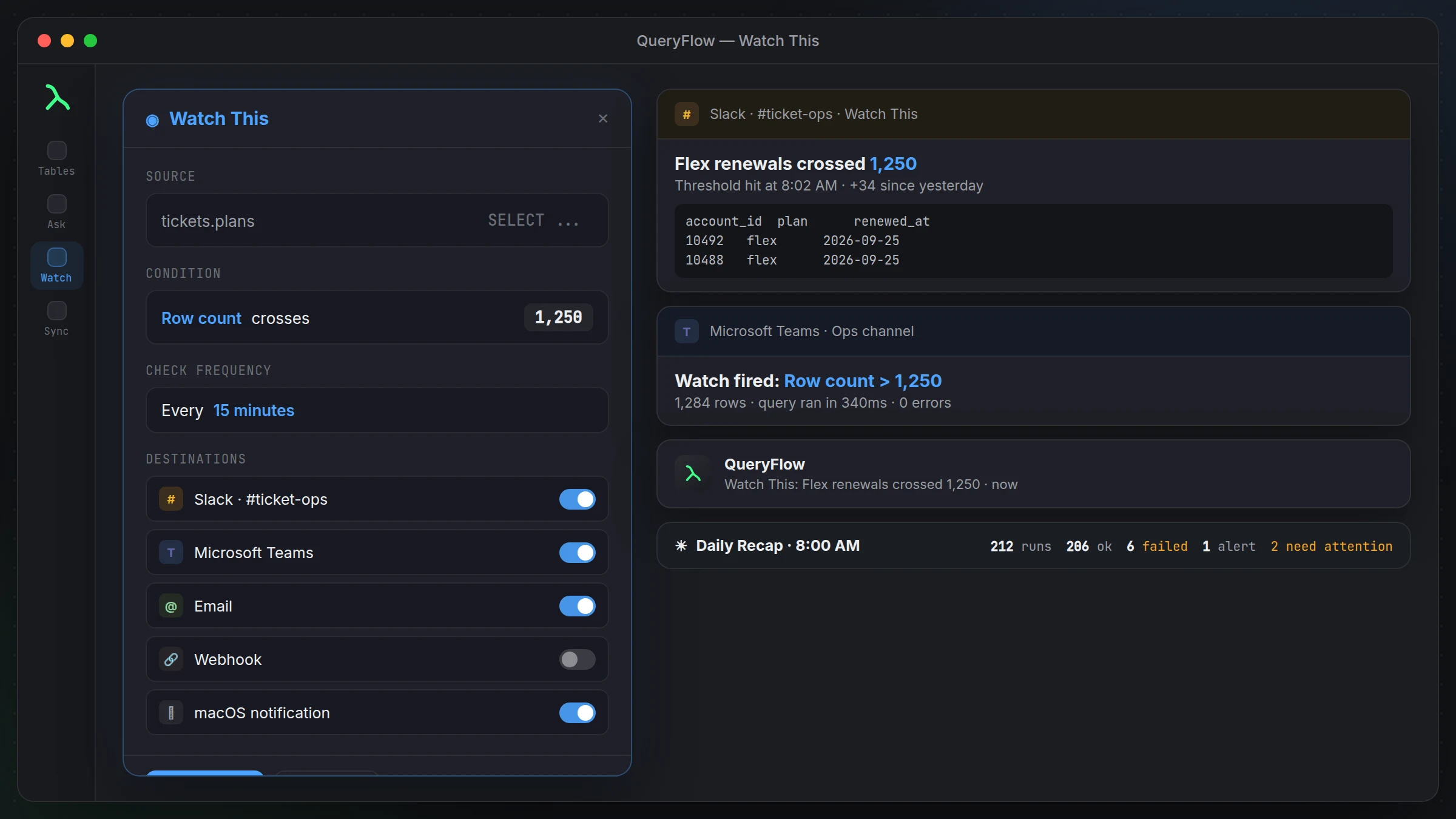
Run or open a query in the SQL Editor, click Watch this, and name it. Confirm the connection and SQL, choose what to watch (Row count, A value, or Any change), pick a condition (Changed, Greater than, Less than, Equals, Increased by, Decreased by), and set Check every from 5m up to 1d. Tick Destinations, run a preview, and save. Full walkthrough with screenshots: the Watch This tutorial.
A second query, a second Watch, no extra tooling
Most people watching one query end up watching two or three within a week, once they see how little setup the first one took. A second check on the same connection, say total order volume instead of failed payments, is another Watch this click and another few fields, not a second install or a second server. Each Watch lives under WATCHES in the Pipelines sidebar, where right-clicking one gives you Check now to test it immediately, Edit to change the condition or interval, or Delete when the check has outlived its usefulness.
Destinations beyond Slack
Slack is the obvious first destination, but Watch destinations also include Microsoft Teams, email, and a Mac notification you can turn on alongside any of the others. A team split between Slack and Teams doesn't need two separate alerting setups, tick both under Destinations on the same Watch and both get the same message when the condition fires. That flexibility is part of what a general-purpose editor like DataGrip was never trying to be; it's a SQL tool, not a notification router, and building that layer on top of it yourself would mean scripting something DataGrip has no hooks for.