What you get
- Per-job history — each schedule keeps its own record, not one shared log across everything.
- Scheduled time vs actual time — see exactly how late a catch-up run fired after sleep.
- Failure detail: the actual error for a failed run, not just "failed."
How it works
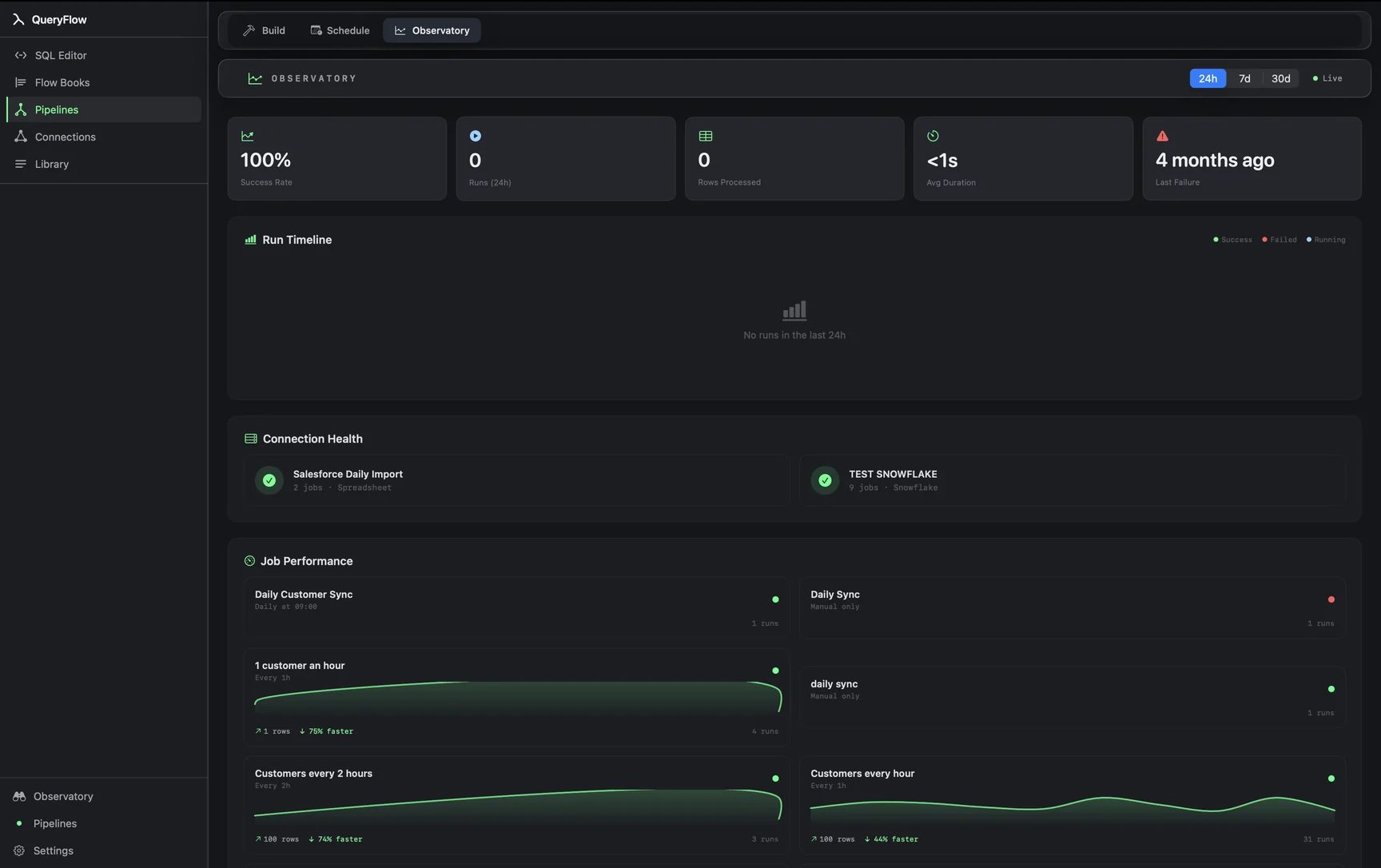
Select a scheduled job and its history lists every run, newest first. Each entry shows when it was supposed to fire, when it actually ran, and whether it succeeded. Click a failed run to see the underlying error, the same kind of message a connection Test would surface for a bad credential or unreachable host.
A worked example
Say a Snowflake job scheduled for 6 AM shows a run logged at 8:14 AM instead. The history makes the gap visible immediately: the Mac was asleep at 6 and the job caught up on wake at 8:14, rather than failing outright. That distinction, "ran late" versus "didn't run," is the whole point of keeping scheduled time and actual time as separate fields.
For a job that actually failed, say a Databricks query against a table that got renamed:
SELECT customer_id, order_total
FROM catalog.schema.orders_v2
WHERE order_date = current_date() - 1;
The run history entry for that job shows the failure and the underlying "table not found" error directly, rather than just a red status you have to go dig for context on elsewhere.
Studio vs Pipelines
Run history is available on every job regardless of tier. What differs by tier is the output destinations available to schedule against and whether failed jobs retry automatically (Pipelines). See pricing for the full comparison.
What it isn't
This is a per-job history, not a centralized observability platform with alerting rules, dashboards, or SLA tracking across a whole team. For "tell me the moment something changes" outside of a job's own pass/fail status, that's what Watches are for, not the run history.
Reading a run history like an engineer
The two timestamps together tell most of the story before you even open the error. A run that's on time and failed points at the query or connection itself. A run that's hours late but succeeded points at sleep, not a bug. A run that's both late and failed is worth checking twice: sometimes a job fails specifically because it caught up alongside several others at once and hit a rate limit or a warehouse that hadn't finished waking either.
A pattern worth watching for
If the same job fails on the same day of the week, or always around the same time, the run history across several weeks will show that pattern before any single failure would tell you. A Monday-morning Salesforce sync that fails every third Monday, say, is worth cross-referencing against whatever else runs on that cadence, a monthly batch job, a maintenance window, before assuming it's random.
Using it to justify a schedule change
A run history that consistently shows a job catching up thirty or forty minutes late is a reasonable signal that either the Mac needs to stay awake through that window, or the trigger time itself should move earlier to compensate. Rather than guessing at the right adjustment, a few weeks of run history gives you the actual pattern to design around instead of a one-off anecdote.
Exporting a run for a support conversation
When a job's behavior needs a second set of eyes, whether that's a teammate or QueryFlow support, the specific run's error detail is more useful shared directly than described from memory. Open the failed run, and copy or export the detail exactly as shown, rather than paraphrasing what the error probably said.
Treat it as ground truth
When a job's actual behavior doesn't match what you expected, the run history is the more reliable source than your own memory of setting it up. It's easy to misremember whether a job was scheduled Daily or Weekly, or whether a change to the query actually got saved; the history shows what really happened, run by run, independent of what you intended.