BRING YOUR OWN KEY

Your key. Your model. Your database.

By Chris Davidson, founder of yForest · Updated September 26, 2026

QueryFlow's Ask panel is bring-your-own-key: add an Anthropic, OpenAI, Google, or xAI API key and query your database in plain English for about 2¢ a question — no markup, no subscription tied to AI usage, no vendor lock-in.

Start 14-day free trial Download on theMac App Store

No credit card. 14 days. Cancel in one click.

macOS 15+ · Apple Silicon native · 14-day free trial · No credit card

Quick answer: Open Settings in QueryFlow, add an API key for Anthropic, OpenAI, Google, or xAI, and the Ask panel unlocks for that model. Your key stays in your Mac's keychain and requests go straight from your machine to the provider — QueryFlow doesn't proxy or mark up the usage. Typical cost is about 2¢ a question, and Auto mode can cut that further.

Why bring your own key

Bundled AI subscriptions build a margin into every question and box you into whatever model the vendor picked. Bring-your-own-key flips that: you pay the model provider's list price directly, you choose the model per question, and switching providers is a Settings change, not a re-purchase.

Set it up in under a minute

  1. Get an API key from Anthropic, OpenAI, Google AI Studio, or xAI — whichever provider you already use.
  2. Open QueryFlow → Settings → AI Models, and paste the key in.
  3. Pick a default model, or leave it on Auto mode.
  4. Open the Ask panel (⌘L) and ask your first question.
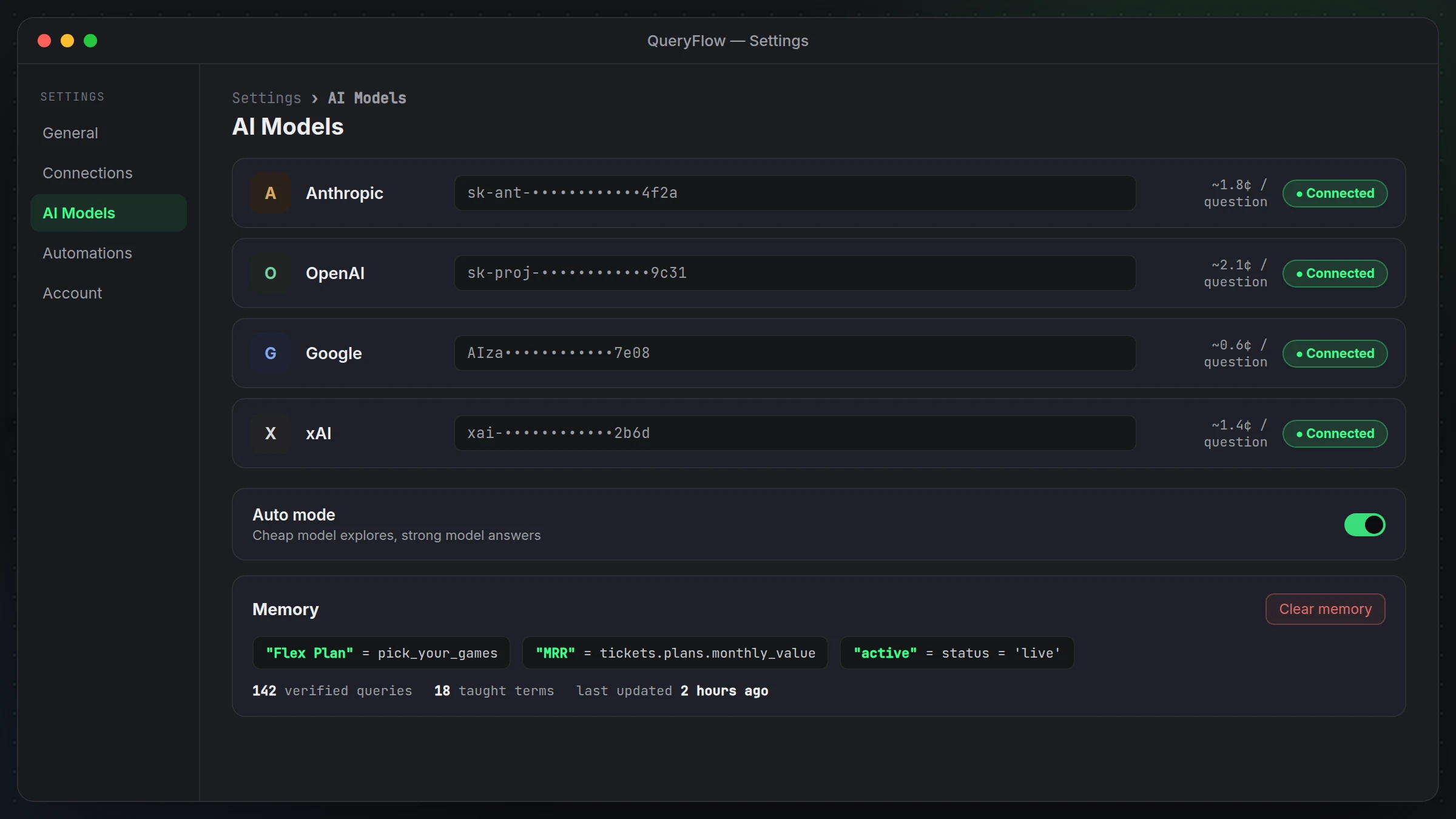
QueryFlow Settings > AI Models screen showing connected Anthropic, OpenAI, Google and xAI keys with per-question cost estimates
Settings › AI Models — add a key, see the connection and the per-question cost.

Where the key lives

Your API key is stored locally in your Mac's keychain. QueryFlow sends requests directly from your machine to the provider you selected for that question — it isn't proxied through QueryFlow's servers, and QueryFlow doesn't see or store the contents of your questions or answers beyond what's needed to display them to you.

What it costs

Typical questions run about 2¢ each, billed by the provider at their own rate — QueryFlow adds no markup. Auto mode reduces the average further by sending exploration work (reading schema, sampling results) to a cheap, fast model and reserving a stronger model for the final answer.

Every provider, one panel

Claude Sonnet 5, Claude Haiku 4.5, GPT-6 Sol, GPT-6 Luna, Gemini 3.5 Flash, Gemini 3.5 Flash-Lite, and Grok 4.20 all work from the same Ask panel, with the same schema context, step cards, and memory — switch models mid-session without losing any of it.

QueryFlow Studio $9.99/mo · $99/yr
QueryFlow Pipelines $29.99/mo · $199.99/yr

Frequently asked

Why bring my own key instead of a bundled AI subscription?

No markup and no lock-in. You pay the model provider directly at their list price, you can switch models any time, and your usage isn't tied to QueryFlow's subscription price.

Which providers are supported?

Anthropic (Claude Sonnet 5, Haiku 4.5), OpenAI (GPT-6 Sol, GPT-6 Luna), Google (Gemini 3.5 Flash, Flash-Lite), and xAI (Grok 4.20). Add one key or several.

Where is my API key stored?

Locally on your Mac, in the system keychain. QueryFlow sends requests directly from your machine to the provider you picked — it doesn't proxy your key or your data through QueryFlow's own servers.

How much does a typical question cost?

About 2¢ per question on typical models, billed by the provider. Auto mode reduces this further by using a cheap model to explore before a stronger model answers.

Do I need a key to use QueryFlow at all?

No. The SQL editor, Flow Books, connectors, and Scheduler all work without an AI key. The key only unlocks the Ask panel.

Bring your own key.

14-day free trial, no card. Add a key you already have and ask your first question.

Start 14-day free trial

No credit card. 14 days. Cancel in one click.