What you get
Query, browse and ask questions against a BigQuery project or a Databricks SQL warehouse.
Send scheduled results in, or run a Data Sync with Insert, Update or Upsert (MERGE on your key columns).
Browse BigQuery's project.dataset.table structure or Databricks' catalog.schema.table the same way, by clicking through the Explorer.
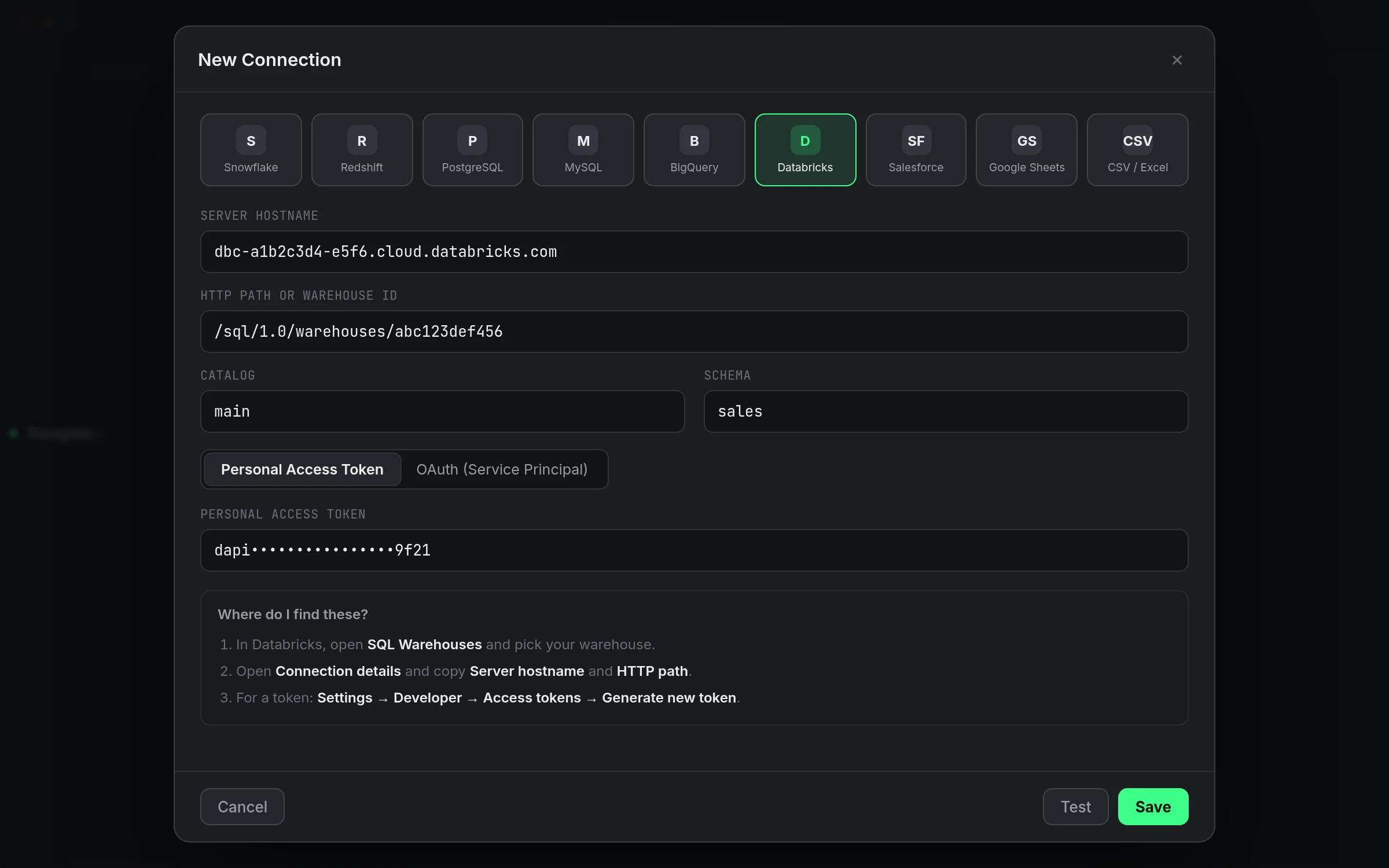
Connecting each one
BigQuery asks for a Project ID, and either a Google sign-in or a service account JSON key with the BigQuery Job User and BigQuery Data Viewer roles (add Data Editor if you'll write to it). Databricks asks for the server hostname and HTTP path from the warehouse's own Connection details page, plus a personal access token or a service principal's client ID and secret. Neither one asks you to install a driver first; both connect directly from the connection sheet.
| BigQuery | Databricks | |
|---|---|---|
| Auth | Google sign-in or service account JSON key | Personal access token or OAuth service principal |
| Address | Project ID, optional dataset and location | Server hostname and HTTP path |
| Browse structure | Project → dataset → table | Catalog → schema → table (Unity Catalog) |
| Query dialect | GoogleSQL, backtick project.dataset.table | Spark SQL, dot-separated catalog.schema.table |
| As a job destination | Append (INSERT) or Replace (TRUNCATE + INSERT) | Append (INSERT) or Replace (TRUNCATE + INSERT) |
| As a Data Sync target | Insert, Update or Upsert (MERGE on key columns) | Insert, Update or Upsert (MERGE on key columns) |
| Row limits | 100,000 rows per query | 100,000 rows per query; results over 25 MB need a LIMIT |
A worked example moving data between them
Say your raw events land in Databricks and a BI tool downstream only reads from BigQuery. Rather than exporting a file by hand, a Data Sync job maps the Databricks source to a BigQuery target on a schedule:
-- Source, Databricks
SELECT event_id, user_id, event_type, occurred_at
FROM raw.events.page_views
WHERE occurred_at >= current_date() - INTERVAL 1 DAYS;

-- Target, BigQuery: analytics.page_views, MATCH ON event_id, mode Upsert
Set MATCH ON to event_id, pick Upsert, and re-running the job on a schedule keeps analytics.page_views current without duplicating rows that already synced. See syncing BigQuery into Databricks for the reverse direction with the same mechanics.
Asking questions against either one
The Ask panel doesn't care which of the two it's pointed at. Add your own Anthropic key (or another provider's) under Settings, and a question like "how many events came in yesterday by type" gets written in whichever dialect the connected warehouse actually speaks, GoogleSQL against BigQuery, Spark SQL against Databricks, using your real project.dataset.table or catalog.schema.table names either way. You see the query before it runs and can edit it, run it, or click Watch This on the result.
Why not just use each vendor's own console
Google Cloud Console and the Databricks SQL editor are both fine for occasional use, but they're browser tabs, and neither stays open across a laptop sleep or survives a session timeout gracefully. If your day genuinely only touches one warehouse, the vendor's own tool is a reasonable choice. If it touches both, or touches one of them alongside Postgres or Snowflake, running everything through separate browser tabs and a native client for the rest is the kind of friction that adds up by Thursday.
What this doesn't do
Neither connection replaces the vendor's own cost or governance tooling. BigQuery still prices by data scanned regardless of which client ran the query, and Unity Catalog permissions on Databricks are still set in Databricks, not in QueryFlow. QueryFlow queries with whatever access your credential already has; it doesn't grant anything extra or estimate BigQuery's bytes-scanned cost before you run something.
Studio or Pipelines
Connecting and querying either warehouse, and using the Ask panel against it, is Studio. Scheduling a job, running Data Sync, and Watch This alerts need Pipelines. See pricing for the full split.
Frequently asked
Do I need both a BigQuery and a Databricks connection, or does one cover both?
Each is a separate connection with its own credentials, added the same way from the + next to Databases. Add whichever ones you actually use.
Can a Data Sync move data from BigQuery straight into Databricks?
Yes, and the reverse. Pick BigQuery as the source connection and Databricks as the target (or vice versa), map the fields, and choose Insert, Update or Upsert.
What happens if a query returns more than 100,000 rows?
It's capped at 100,000 rows per query on both. On Databricks specifically, a result over 25 MB also needs a LIMIT or fewer columns, regardless of row count.
Is Unity Catalog required for Databricks?
No. Set a Catalog to scope the connection to one, or leave it blank to browse whatever your credential can see by default.