Before you start
- Pipelines tier for most destination types (Save to File and Email are Studio).
- For a BigQuery or Databricks destination, an existing connection under Databases.
- For S3 or SFTP, the credentials or keys for that target.
Steps
- Click the + button next to Destinations.
- Under TYPE, pick one: SFTP, Amazon S3, Database (BigQuery or Databricks), Google Sheets, Slack or Microsoft Teams.
- Fill in whatever that type needs. A database destination asks for a Connection, a Target Table and a Write Mode. Others ask for their own credentials or a workspace connection.
- Give it a clear Name, something that says what it is, not just its type, and click Save Destination.
- When scheduling any job, pick this destination from the output list instead of building a new one.
- Edit it once if the target ever changes (a new bucket, a renamed table), and every job using it picks up the change automatically.
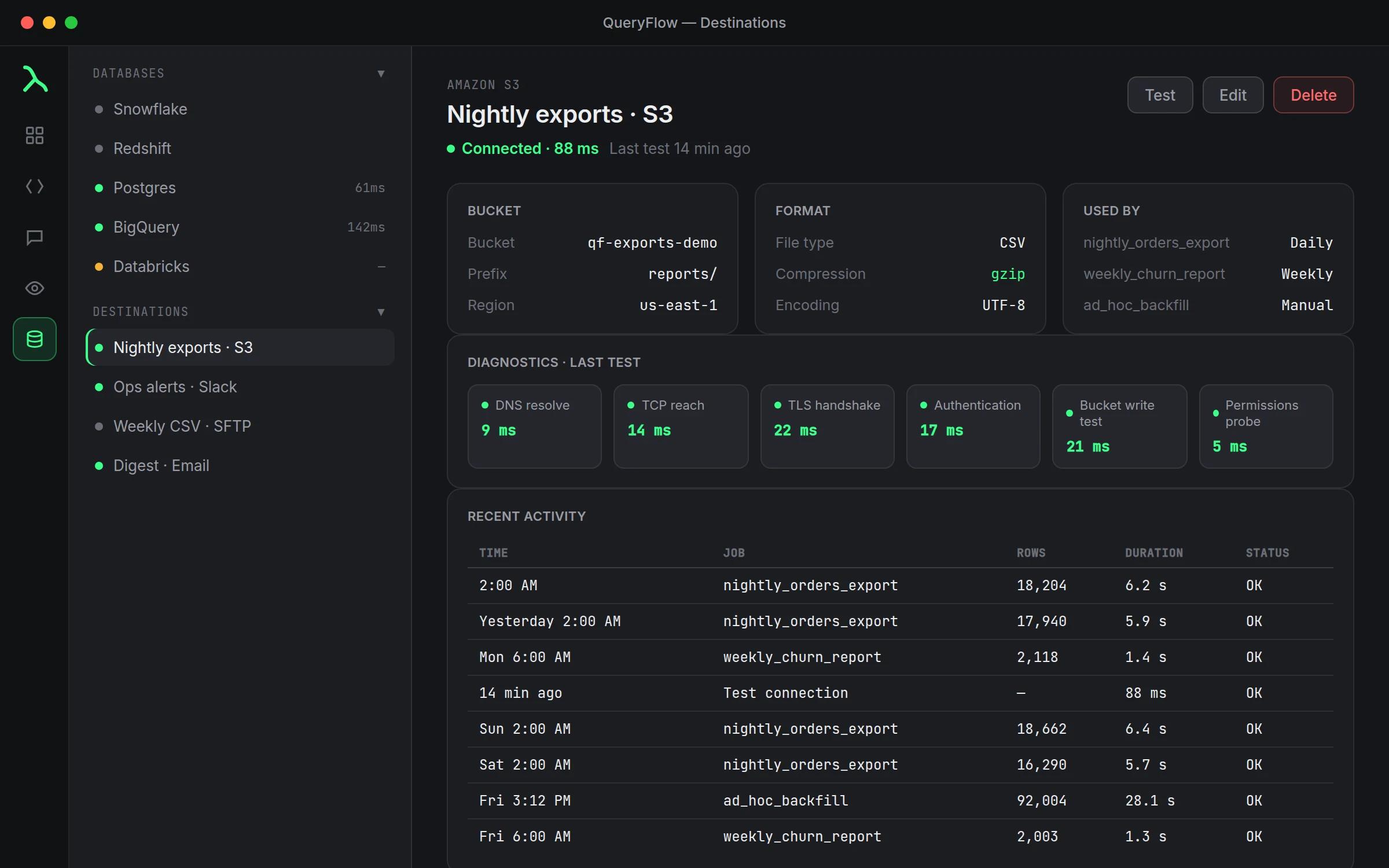
A worked example
Say three separate reports all need to land in the same BigQuery reporting table: a daily signups count, a daily revenue rollup, and a weekly retention number. Without a reusable destination, that's the same connection, table name and write mode typed three separate times, and three separate places to make a mistake if the table ever gets renamed.
Set it up once instead:
Destination name: Reporting - BigQuery daily rollups
Type: Database (BigQuery)
Connection: analytics-prod
Target Table: reporting.daily_metrics
Write Mode: Append (INSERT)
Now all three scheduled jobs pick "Reporting - BigQuery daily rollups" from the destination list. If reporting.daily_metrics ever gets renamed, one edit to the destination fixes all three jobs, not three separate edits you might forget one of.
Why this matters more once you're on Pipelines
A single scheduled job with its own one-off output barely benefits from a reusable destination. The benefit shows up once you're running five or ten jobs against the same handful of places: a Slack channel for alerts, an S3 bucket a downstream tool watches, a reporting table three dashboards read from. Building those three or four destinations once and reusing them across every job that needs one is meaningfully less error-prone than re-typing a bucket name or a channel ID each time you schedule something new.
Naming destinations so they stay reusable
A destination named "S3" or "BigQuery" stops being useful the moment you have a second one of the same type. Name it by what it's for: "Finance team S3 export," "Slack #data-alerts," "Reporting warehouse (Append)." The write mode is worth including in the name specifically, since Append and Replace destinations pointed at the same table are easy to mix up six months later when you're not the one who set them up.
When not to reuse one
Reuse makes sense when several jobs genuinely deliver to the same place with the same write mode. It stops making sense the moment two jobs need slightly different behavior, one should Append and another should Replace against the same table, for instance. Forcing both through one shared destination just to avoid creating a second one usually costs more confusion later than the minute it takes to set up a second, differently-named destination.
Check it worked
Run a job that uses the destination and check the run history for that job. A successful delivery shows there; a failure usually names the same problem a connection Test would show, a permissions gap or an expired credential on the destination side rather than the source.
If something goes wrong
| If you see | Fix |
|---|---|
| No BigQuery connections available. Add a BigQuery connection under Databases first. | Add the underlying connection before building a database destination on top of it. |
| Job fails on write | Give the account write access on the target (BigQuery Data Editor, or MODIFY in Databricks). |
| A shared destination stopped working for everyone using it | Check the destination itself first, one broken credential now affects every job that reuses it. |
Frequently asked
Can two different jobs share one destination?
Yes, that's the whole point. Configure it once and pick it from the list every time a job needs to deliver there.
What happens if I edit a destination that's used by several jobs?
Every job using it picks up the change the next time it runs. That's useful for fixing a renamed table in one place, but worth double-checking before editing a shared destination casually.
Do destinations need Pipelines?
Most do. Save to File and Email are Studio; SFTP, S3, database destinations, Google Sheets, Slack and Teams need Pipelines.
Can I delete a destination that's still in use by a job?
The job will fail on its next run if the destination it points to no longer exists, so update or remove it from any job before deleting the destination itself.