Before you start
A working Redshift connection (IAM keys) and a working Postgres connection added under Databases, and a Postgres table already created with the target columns. Pipelines tier. Redshift is on the background helper's supported source list; Postgres as a target is not, so the sync needs QueryFlow open, or a Mac left running, to fire unattended.
Why this direction, specifically
Most Redshift-Postgres traffic runs the other way, Postgres feeding a Redshift warehouse. This direction shows up when a smaller, faster Postgres database is being used to serve an internal tool or a lightweight app off a subset of warehouse data that's too slow or too expensive to query live out of Redshift for every request, or when a team is decommissioning Redshift in favor of a Postgres-based warehouse alternative and needs a subset of tables moved over first.
Steps
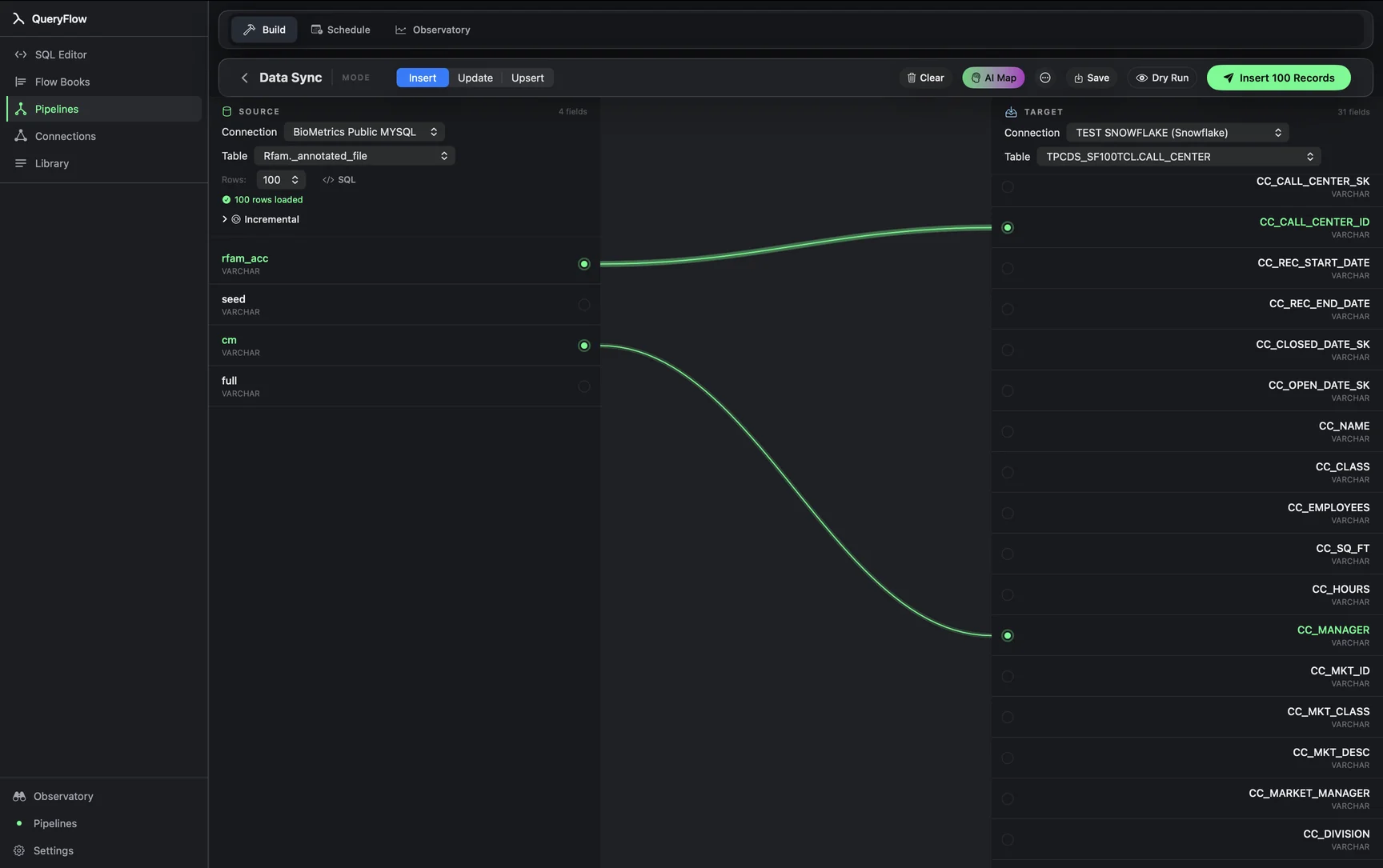
- Open Pipelines → Build and click New Sync.
- On the left, pick your Redshift Connection and Table, or write SQL against it.
- On the right, pick your Postgres Connection and target Table.
- Drag from a source field to a target field, or click AI Map.
- Pick a MODE: Insert, Update, or Upsert.
- For Update or Upsert, choose a MATCH ON field.
- Click Dry Run, then Save it as a job or run it now.
A worked example
A team wants a pre-aggregated daily metrics table, computed in Redshift where the raw event volume lives, served out of a small Postgres database backing an internal dashboard that needs sub-second query response the raw Redshift cluster can't guarantee under concurrent load. The Redshift source, doing the aggregation before the sync even runs:
SELECT
  DATE_TRUNC('day', event_ts) AS metric_date,
  team_id,
  COUNT(*) AS event_count
FROM analytics.events
WHERE event_ts >= DATEADD(day, -3, GETDATE())
GROUP BY 1, 2;
The Postgres target, plain schema-qualified reference:
dashboards.daily_metrics
Map metric_date, team_id, and event_count, set MODE to Upsert, and MATCH ON to a composite of metric_date and team_id. The 3-day lookback in the source query, rather than just the current day, means a late-arriving Redshift row still gets picked up and corrects the Postgres value on the next run, at the cost of re-processing a few days of data every time.
Check it worked
Dry Run first, then compare a handful of dates and team_id values between the Redshift aggregate query run directly and the resulting Postgres rows, particularly around the edges of the 3-day lookback window where late data correction is meant to show up.
Troubleshooting
| If you see | Fix |
|---|---|
| No Postgres connections available | Add one under Databases first, with a role that has INSERT and UPDATE on the target schema. |
| Job fails on write | Confirm the Postgres role has write access to the target table, and that the table already exists with matching column types. |
| Duplicate key values in source for key column(s) … | Confirm the GROUP BY in your Redshift query actually produces one row per metric_date/team_id pair; a missing group column will duplicate keys. |
Where this fits, and where it doesn't
This pattern works well for a small, purpose-built downstream table fed by a heavier aggregation upstream. It isn't a substitute for querying Redshift directly when the destination table needs the full breadth of raw data rather than a pre-aggregated slice, and it isn't a replacement for a proper read-replica setup if what you actually need is low-latency access to Redshift's full dataset rather than a specific rollup.
Cost math against Fivetran's own pricing
This reverse-direction, Postgres-as-destination pattern isn't one Fivetran markets directly (its own connector catalog is built around loading into a warehouse, not out of one into an operational database), so there's no directly comparable published Fivetran price to cite for this exact use case. What is comparable is the general MAR-metered model any Fivetran-style reverse pipeline would use if one existed: usage that scales with distinct rows changed, per Fivetran's own definition, plus a per-connection base charge, versus QueryFlow's flat $29.99/month or $199.99/year regardless of how the aggregated rows change month to month.
Type mapping between Redshift and Postgres
| Redshift type | Postgres type | Note |
|---|---|---|
| INTEGER / BIGINT | INTEGER / BIGINT | Direct mapping. |
| DECIMAL(p,s) | NUMERIC(p,s) | Match precision and scale exactly. |
| SUPER | JSONB | Extract specific nested fields in the Redshift source query rather than moving SUPER values as opaque text where possible. |
| TIMESTAMPTZ | TIMESTAMP WITH TIME ZONE | Direct mapping given both engines support zone-aware timestamps explicitly. |
| VARCHAR(n) | VARCHAR(n) or TEXT | Postgres has no practical length ceiling if you widen to TEXT. |
Moving from Redshift's bounded VARCHAR lengths into Postgres's effectively unbounded TEXT type is the easier direction of the two; nothing gets truncated going this way; the risk runs the other direction, from Postgres into Redshift, where a long Postgres TEXT value can exceed Redshift's VARCHAR ceiling.
Sizing the destination table correctly
Because this pattern typically serves a smaller, purpose-built downstream table rather than a full warehouse replica, it's worth explicitly deciding the Postgres target table's indexes based on how the destination will actually be queried (which is usually different from how the Redshift source is queried), rather than mirroring Redshift's own structure by default. A dashboard querying by team_id and a date range benefits from an index on exactly those columns in Postgres, something the Redshift source table's own distribution key doesn't automatically imply.
Monitoring the sync over time
Because this pattern often serves a specific dashboard or internal tool, a failed run has a more immediately visible symptom than a general warehouse sync would, stale numbers on a page someone checks daily. That visibility is a practical advantage for catching failures quickly, but it also means checking the Observatory's run history proactively after any change to the upstream Redshift aggregation query is worth the minute it takes, rather than waiting for someone to notice a chart hasn't moved.
A note on choosing the lookback window
The 3-day lookback in the worked example is a judgment call, not a fixed rule: widen it if the Redshift source regularly has late-arriving data that corrects several days back, or narrow it to reduce how much gets re-processed on every run if the source data is reliably final within a day. Whichever window you pick, Upsert mode means widening it later doesn't create duplicates, it only means each run re-checks a larger recent slice against what's already in Postgres.
A note on keeping the two systems' definitions in sync
If the Redshift aggregation logic changes, say a new team_id category gets added upstream, the Postgres target table picks that up automatically on the next run as long as the field mapping itself doesn't need to change; only a genuinely new column being added to the aggregate query requires touching the sync's mapping directly.
One last habit worth building: after any change to either connection's credentials or the underlying Redshift query, run Dry Run once before trusting the next scheduled execution, rather than discovering an issue only when a downstream chart looks wrong.
Sources
- Fivetran Pricing (accessed September 26, 2026)
- Fivetran: Usage-Based Pricing (MAR definition) (accessed September 26, 2026)
Related syncs
See also: Integrations Load a CSV into PostgreSQL. Excel to Postgres on Mac.