MIGRATE FROM FIVETRAN

Export from Fivetran. Drop it in. Done.

By Chris Davidson, founder of yForest · Updated September 26, 2026

The Migrate wizard reads your Fivetran connector configuration and builds an equivalent QueryFlow pipeline — sources, destinations, and field mapping already in place. You review it, then run it. $549/mo down to $199.99/yr.

Start 14-day free trial Download on theMac App Store

No credit card. 14 days. Cancel in one click.

macOS 15+ · Apple Silicon native · 14-day free trial · No credit card

Quick answer: Export your connector config from Fivetran, drop it into QueryFlow's Data Sync → Migrate wizard, and it builds a pipeline with the same sources, destinations, and field mapping. Review the pipeline, then run it — incremental loads, retries, and alerts are already set up. Custom Fivetran transformations and unsupported connectors don't carry over. Fivetran Standard runs ~$549/mo; QueryFlow Pipelines is $199.99/yr.

How the Migrate wizard works

Export your connector configuration from Fivetran's dashboard (Settings → connector → export, or the Fivetran API). In QueryFlow, open Data Sync and choose Migrate from the source menu. Drop the exported file in. QueryFlow reads the source type, destination type, table and column selections, and sync mode, then builds a pipeline that matches — source card, destination card, and a field mapping already drawn between them.
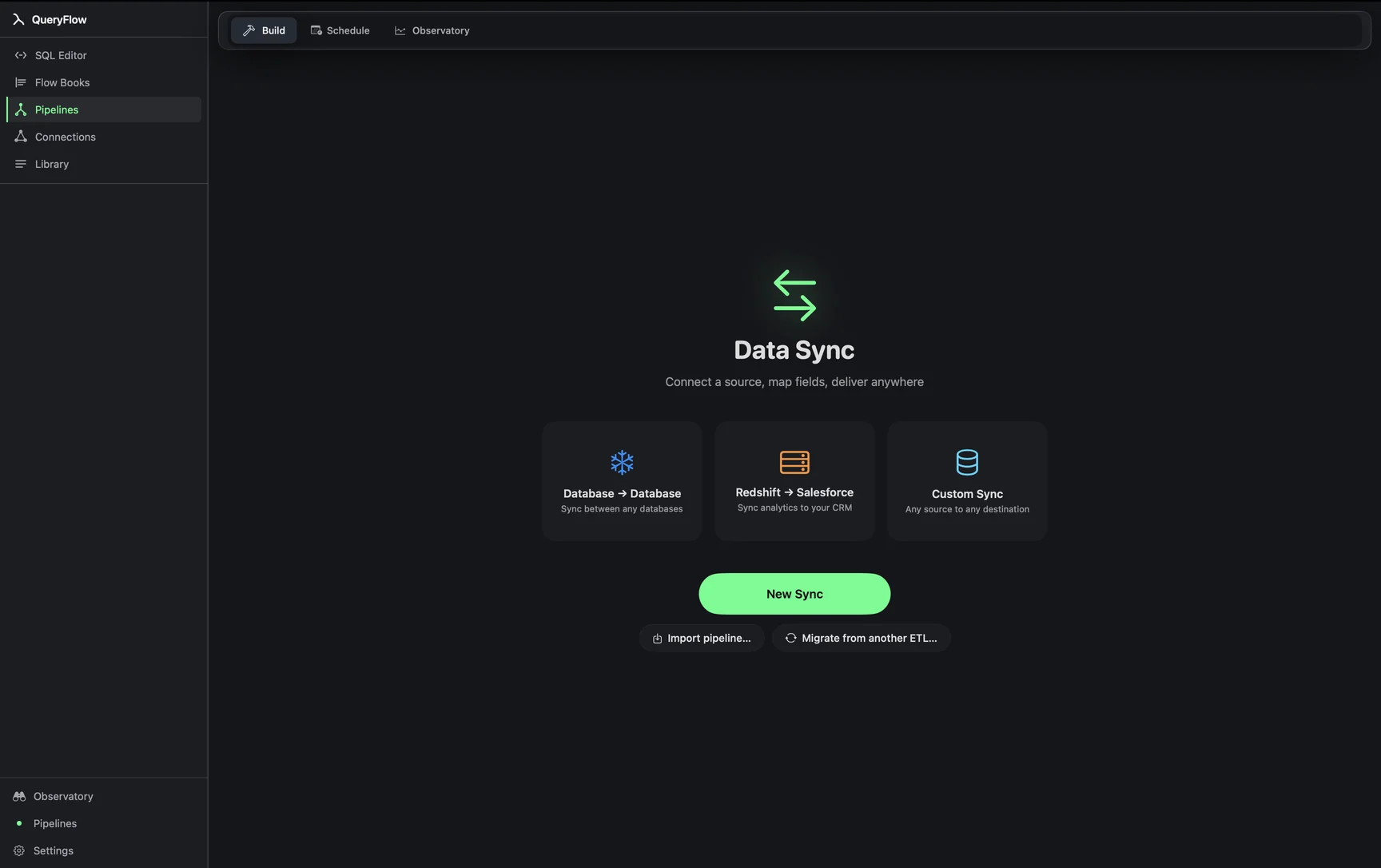
QueryFlow Data Sync home screen showing the Migrate from another ETL entry point
The Migrate entry point lives in Data Sync, next to New Pipeline.

The review step

Nothing runs automatically. After the import, QueryFlow drops you on a review screen: every source column mapped to a destination column, the sync mode (full snapshot, incremental, or upsert), and the schedule it inferred. Fix anything that mapped wrong before you run it — this is a plain edit in the same Bezier field mapper you'd use to build a pipeline from scratch.
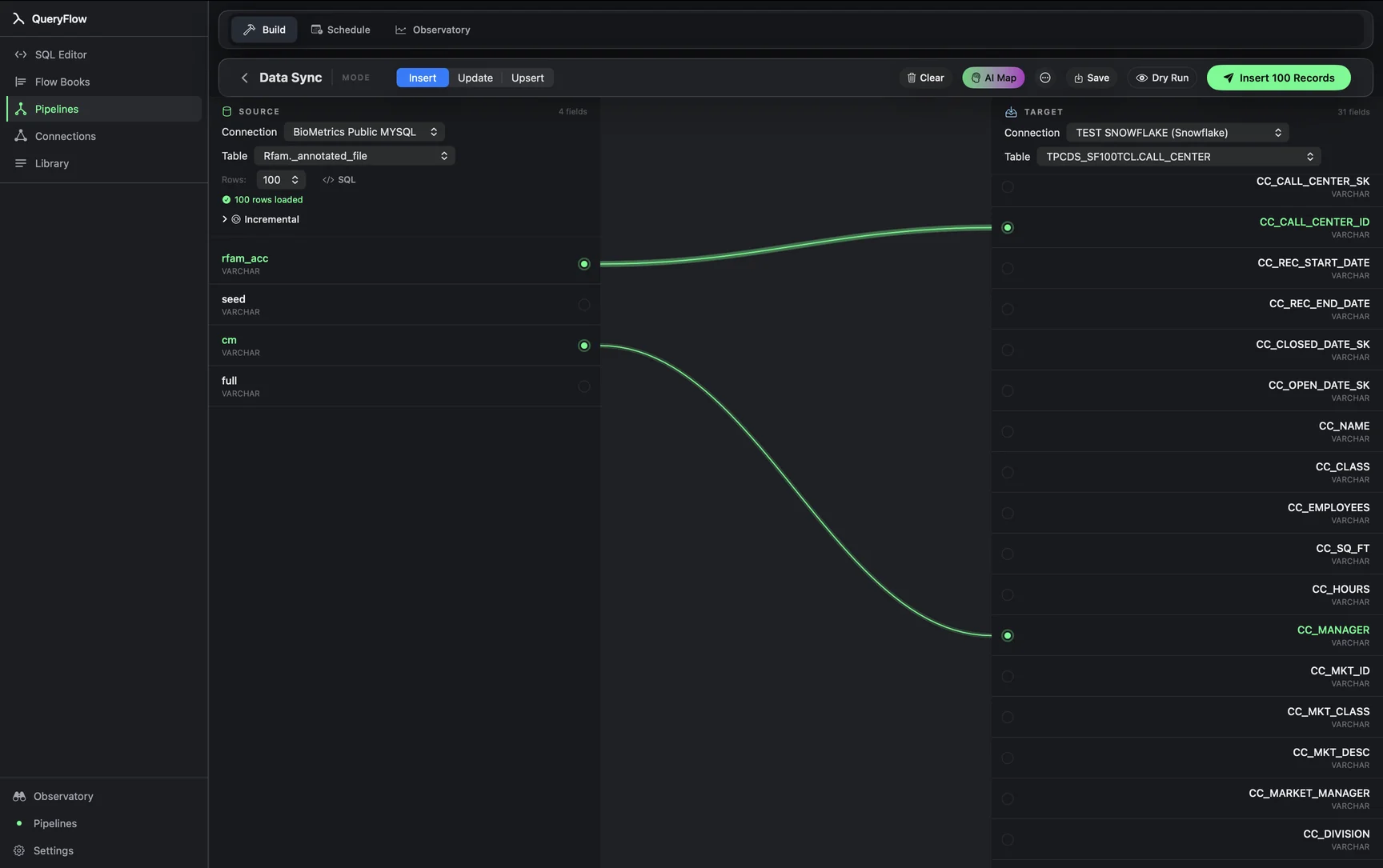
QueryFlow Bezier field mapping between source and destination columns
Field mapping after import — edit any connection before the first run.

What carries over

Source and destination connections, table and column selections, field-level mapping, and sync mode (full, incremental, or upsert with key fields) all import. Incremental loads keep their cursor column. Retries and alerts (email, Slack, or webhook) get set up on the new pipeline using QueryFlow's defaults, which you can tighten or loosen. A dry run — process the pipeline without writing to the destination — is available before you commit to a live schedule.

What does not carry over

Be honest with yourself about these before you migrate: custom dbt or SQL transformations built inside Fivetran Transformations do not import — rebuild that logic in a Flow Book or in your warehouse after load. Fivetran connectors with no QueryFlow equivalent (Stripe, HubSpot, Mixpanel, and the rest of its 300+ SaaS connectors) do not import at all — QueryFlow's source list is Snowflake, Redshift, Postgres, MySQL, BigQuery, Databricks, Google Sheets, Salesforce, and CSV/TSV. Streaming Change Data Capture becomes scheduled snapshot or incremental sync — you pick an interval instead of getting continuous replication.

Sources and destinations QueryFlow supports

Sources: Snowflake, Redshift, Postgres, MySQL, BigQuery, Databricks, Google Sheets, Salesforce, CSV/TSV. Destinations: S3, SFTP, local CSV, email, Salesforce, Snowflake, Redshift, Postgres, MySQL, BigQuery, Databricks. If every Fivetran connector you run maps onto this list, the migration is close to complete. If you rely on Fivetran's broader SaaS connector catalog for some pipelines, you'll keep those running on Fivetran and move the rest.

The cost comparison

Fivetran Standard runs roughly $549/month for a small team and climbs with Monthly Active Rows — many teams end up between $3,000 and $10,000/month within a year. QueryFlow Pipelines is $199.99/year flat, with no row-based billing. Migrating the pipelines that fit QueryFlow's connector list typically cuts the ETL line item by 90% or more, with zero exposure to volume growth.

Migrating off Fivetran
Compare
Fivetran Standard ~$549/mo
QueryFlow Studio $9.99/mo
QueryFlow Pipelines $29.99/mo · $199.99/yr

Frequently asked

Does the Migrate wizard copy my historical data too?

No. The wizard reads your Fivetran connector configuration — sources, destinations, table selections, sync mode — and builds an equivalent QueryFlow pipeline. The first run of that pipeline pulls the data. It doesn't copy Fivetran's replicated history; it re-syncs from the source.

Which Fivetran connectors can I migrate?

Any Fivetran connector whose source and destination QueryFlow also supports: Snowflake, Redshift, Postgres, MySQL, BigQuery, Databricks, Google Sheets, Salesforce, and CSV/TSV files as sources; S3, SFTP, local CSV, email, Salesforce, Snowflake, Redshift, Postgres, MySQL, BigQuery, and Databricks as destinations. Fivetran's SaaS connectors — Stripe, HubSpot, Mixpanel, and the other 300+ — aren't supported and won't import.

What happens to Fivetran's Change Data Capture?

It doesn't carry over. QueryFlow runs scheduled snapshot or incremental syncs, not streaming CDC. You pick an interval — every 15 minutes, hourly, daily — instead of getting continuous replication.

Do custom transformations migrate?

No. Fivetran's dbt transformations or custom SQL models inside Fivetran Transformations don't import. You rebuild transform logic in a Flow Book (SQL + Python) or in your warehouse after load. Field mapping and renames do carry over.

How much does it actually save?

Fivetran Standard runs about $549/month for a small team, more as Monthly Active Rows grow. QueryFlow Pipelines is $199.99/year flat — no row-based billing. For teams whose sources fit QueryFlow's connector list, that's a 90%+ reduction with no volume penalty.

Export it once.

14-day free trial. Drop your Fivetran export in and see the pipeline it builds before you commit to anything.

Start 14-day free trial

No credit card. 14 days. Cancel in one click.