Where cron falls short for data work
Cron itself is fine for what it does: fire a command at a time. The friction shows up around it. You write a shell script that runs a query, dumps a CSV, and maybe emails it, then you write cron syntax by hand (0 6 * * 1-5 for weekdays at 6 AM is easy to get wrong the first few times), then you build your own logging because cron won't tell you a job failed unless you pipe its output somewhere yourself. And if your Mac was asleep at 6 AM, that job never ran, and cron has no idea it was supposed to.
Three real pain points
No catch-up after sleep. A job scheduled for 6 AM on a laptop that was asleep until 8 just doesn't run. Cron doesn't check.
No structured history. Did last Tuesday's job succeed? With cron, that means grepping a log file you set up yourself, if you set one up at all.
Data logic lives in a shell script. The actual work, connecting to a database, running SQL, formatting output, becomes a script you maintain separately from wherever your queries actually live.
How QueryFlow covers the same ground
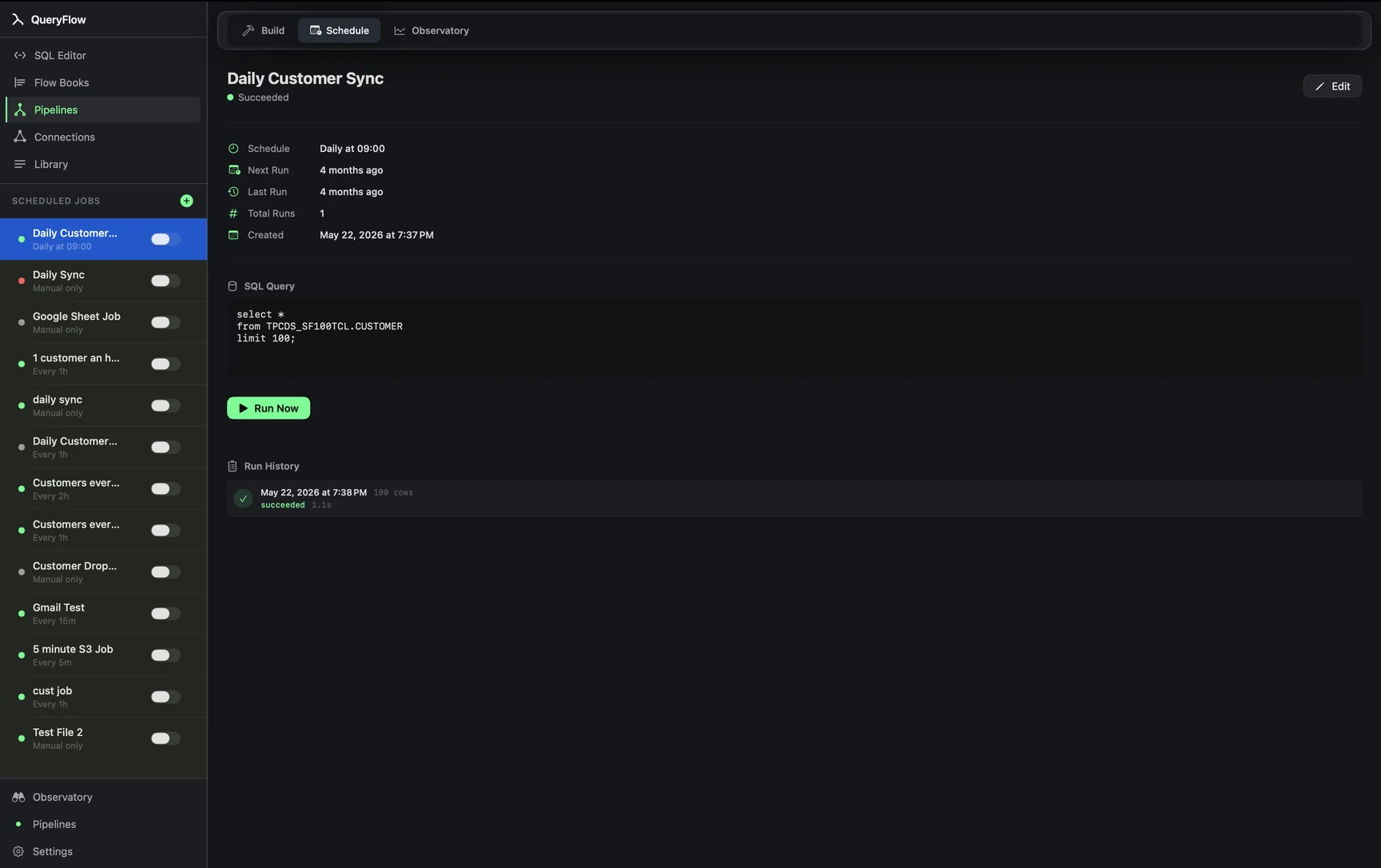
If you already know cron syntax, the Custom Cron trigger type takes it directly, so 0 6 * * 1-5 still works exactly as written. If you don't, Interval, Daily, and Weekly cover the same ground with a couple of clicks and no five-field syntax to remember. Every run, scheduled or manual, shows up in a run history against that specific job, not a shared log file you have to parse. And output isn't a script you write; it's a destination you pick, file, email, S3, SFTP, a table, Sheets, Slack, or Teams (Pipelines for everything past file and email).
Feature comparison
| Feature | cron | QueryFlow |
|---|---|---|
| Setup | Hand-written crontab syntax | GUI dialog, cron syntax optional |
| Missed-run catch-up | None | Runs on next wake |
| Per-job run history | DIY logging | Built in, per job |
| Query storage | Buried in a shell script | Lives in the SQL Editor |
| Delivery to file / email / S3 / Slack | You wire it up | Built-in destinations |
| Cost | Free | $9.99–$29.99/mo |
When cron is still the right call
If your job isn't SQL or a data pull at all, say it's restarting a service or rotating log files, cron (or launchd directly) is still the simpler tool and QueryFlow won't help. This is specifically about the class of job where the work is a query against Snowflake, Redshift, Postgres, MySQL, BigQuery, or Databricks, and the output is a file, an email, or a place downstream to land it.
Migrating a crontab entry
Take your existing line, pull the actual query out of whatever script it calls, paste it into the SQL Editor, click Schedule, and pick Custom Cron with the same five fields. There's no import tool for existing crontabs; you re-create each entry as its own scheduled job, which for most people is five or six entries, not fifty.
What you keep and what you give up
You keep the cron syntax itself if you want it, along with the ability to fall back to Interval, Daily, or Weekly for the entries that don't actually need five-field precision. What you give up is the sense of running something you fully control at the shell level; QueryFlow's scheduler is a feature of the app, not a system service you can inspect with ps or restart independently of QueryFlow itself. For most SQL-and-delivery jobs, that trade is a reasonable one: you get a run history and delivery destinations back in exchange for a small amount of that low-level control.
A note on cost
Cron itself is free, and it's fair to weigh that against QueryFlow's $9.99 to $29.99 a month. The comparison that actually matters is what you'd otherwise spend building and maintaining the wrapper scripts, logging, and alerting cron doesn't give you for free. For five or six recurring data jobs, that build-and-maintain cost is usually more than the subscription, just paid in time instead of dollars.
A quick gut check
If your current setup is a shell script, a crontab entry, and a mental note to check the output every so often, that's usually the sign this is worth trying. If your current setup is already a properly maintained set of launchd plists with real logging and alerting built in, you've already solved the problem cron alone doesn't, and the case for switching is weaker.