PlanetScale is MySQL, so the connection is ordinary
PlanetScale runs on Vitess, a layer that scales MySQL horizontally, but what a client sees is a plain MySQL connection: a host, a port, a username, a password, and a database name. QueryFlow doesn't need a PlanetScale-specific mode. Add it as a MySQL connection and it behaves the same way a local MySQL instance or an RDS MySQL host does.
Getting the connection details
In the PlanetScale dashboard, open the branch you want to query and go to Connect. PlanetScale generates a username and password scoped to that connection, plus the host. Copy those into a new MySQL connection in QueryFlow: Host, Port (3306 by default), Database, Username, Password, and turn SSL on. PlanetScale requires SSL; leave it off and the connection fails at that step.
One connection per branch
PlanetScale's branching gives every branch, main and any development branch, its own generated credentials and its own copy of the data. There's no single QueryFlow connection that follows you across branches. Add main as one connection and each active dev branch as another, named for what it is: shop-main, shop-add-loyalty-column. It's the same pattern as adding a separate connection per branch on Neon's serverless Postgres.
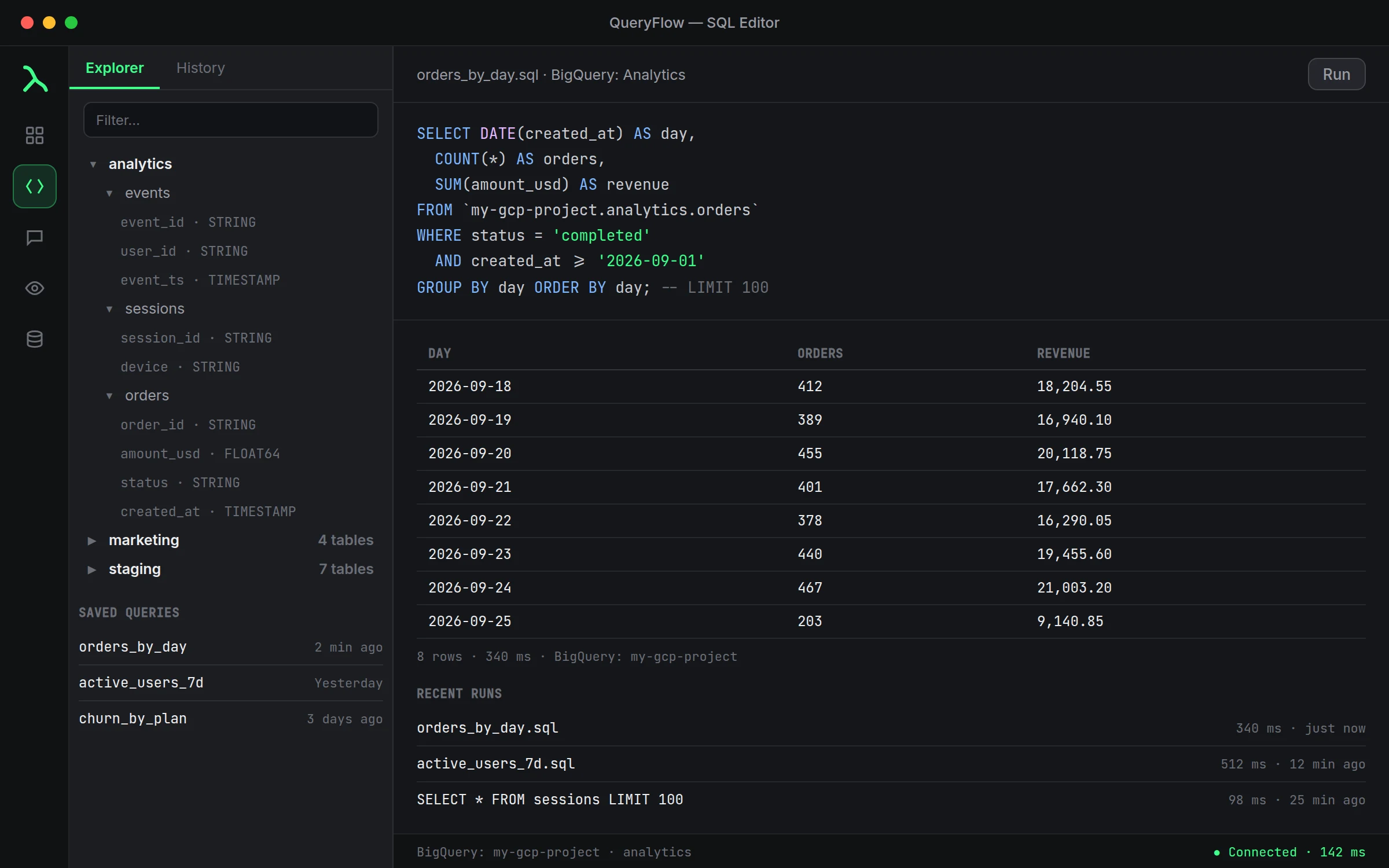
A worked example
A query against a branch you're testing a schema change on:
SELECT DATE(created_at) AS day, COUNT(*) AS orders, SUM(total_cents) / 100.0 AS revenue
FROM ecommerce.orders
WHERE created_at >= NOW() - INTERVAL 30 DAY
GROUP BY day
ORDER BY day;
Run it against the dev branch while you're testing a schema change, then against main to confirm the numbers still line up before you merge the branch's deploy request.
Scheduling and watching a PlanetScale query
Once connected, a PlanetScale branch behaves like any other MySQL source in QueryFlow. Click Schedule to run a query on a cadence and send results to email or a local file on Studio, or to Slack, Teams, S3 or SFTP on Pipelines. Click Watch this on a result to get pinged in Slack or Teams the moment it changes, useful for confirming a migration actually finished: watch the row count on the affected table until it settles at the expected value.
A second worked example: confirming a schema change landed
After a deploy request adds a column on a dev branch and you merge it, connect to main and confirm it actually shows up before anyone builds against it:
SELECT COLUMN_NAME, DATA_TYPE
FROM information_schema.columns
WHERE table_schema = 'ecommerce' AND table_name = 'orders'
ORDER BY ordinal_position;
Run that against the main connection right after a merge. It's a plain information_schema query, nothing PlanetScale-specific, which is exactly the point: once a branch is a QueryFlow connection, everything else about working with it is ordinary MySQL.
Connection limits and long-idle branches
A development branch you haven't queried in a while behaves the same as any MySQL host that's been quiet: the first query after a gap can take a moment longer while the connection re-establishes, and that's a PlanetScale-side detail, not something QueryFlow adds on top. If a branch connection test fails after sitting unused, retest before assuming credentials rotated or the branch was deleted.
What QueryFlow doesn't do
QueryFlow doesn't manage PlanetScale's branches or deploy requests. Creating a branch, diffing a schema change, and merging a deploy request all stay in PlanetScale's dashboard or CLI. QueryFlow is a client for querying and moving data on whichever branch you point it at, not a schema-migration tool.
Studio or Pipelines
Studio covers connecting to a PlanetScale branch, exploring it, and a single scheduled report to email or a local file. Sending a schedule or a Watch to Slack, Teams, S3, SFTP or another database, plus Data Sync into or out of PlanetScale, needs Pipelines.
How this compares to a local MySQL setup
If you've connected QueryFlow to a local MySQL instance before, PlanetScale adds exactly two things to think about: SSL (required, not optional the way it often is locally) and the fact that credentials are generated per connection rather than a single fixed root password. Everything else, the Explorer, the SQL dialect, JOINs, CTEs, window functions, JSON columns, is identical, because it's the same MySQL engine underneath.